How to Connect and Sync PostgreSQL to Stripe in 5 Minutes with Whalesync

How to connect and sync Postgres to Stripe in 5 minutes.

PostgreSQL is one of the most powerful relational databases used by modern apps and platforms to store everything from user data to transactional records. Stripe handles your billing infrastructure from subscriptions, invoices, payments.
If your backend runs on Postgres and you use Stripe for payments, syncing the two helps you surface financial data in your database automatically, no ETL, exports, or scripts needed.
In this post, we’ll show you how to connect and sync Postgres and Stripe in five minutes.
Why should you connect Postgres to Stripe?
Connecting Postgres and Stripe allows you to pull live billing and subscription data from Stripe directly into your Postgres database. This makes it easy to join payment data with internal app data, trigger workflows, or build dashboards, all in one place.
Since the sync is one-way (Stripe → Postgres), you can’t push data into Stripe, but you can use Stripe data inside your database for analysis, customer insights, or product logic.
This setup cuts out manual syncing, reduces integration complexity, and empowers engineering, product, and data teams with real-time financial visibility inside your backend.
When should you connect Postgres and Stripe?
Here are a few common scenarios where connecting the two makes sense:
- You store user or customer data in Postgres: Sync Stripe billing activity and subscription info to match users and payment data in one place.
- You’re building internal admin tools or dashboards: Use synced Stripe data to power billing overviews, usage-based billing models, or customer health scoring.
- You want to automate workflows based on payment events: With Stripe data in Postgres, you can easily trigger onboarding flows, access control, or status changes based on subscription or payment status.
How to sync Postgres and Stripe
Here’s a step-by-step guide to sync Postgres and Stripe.
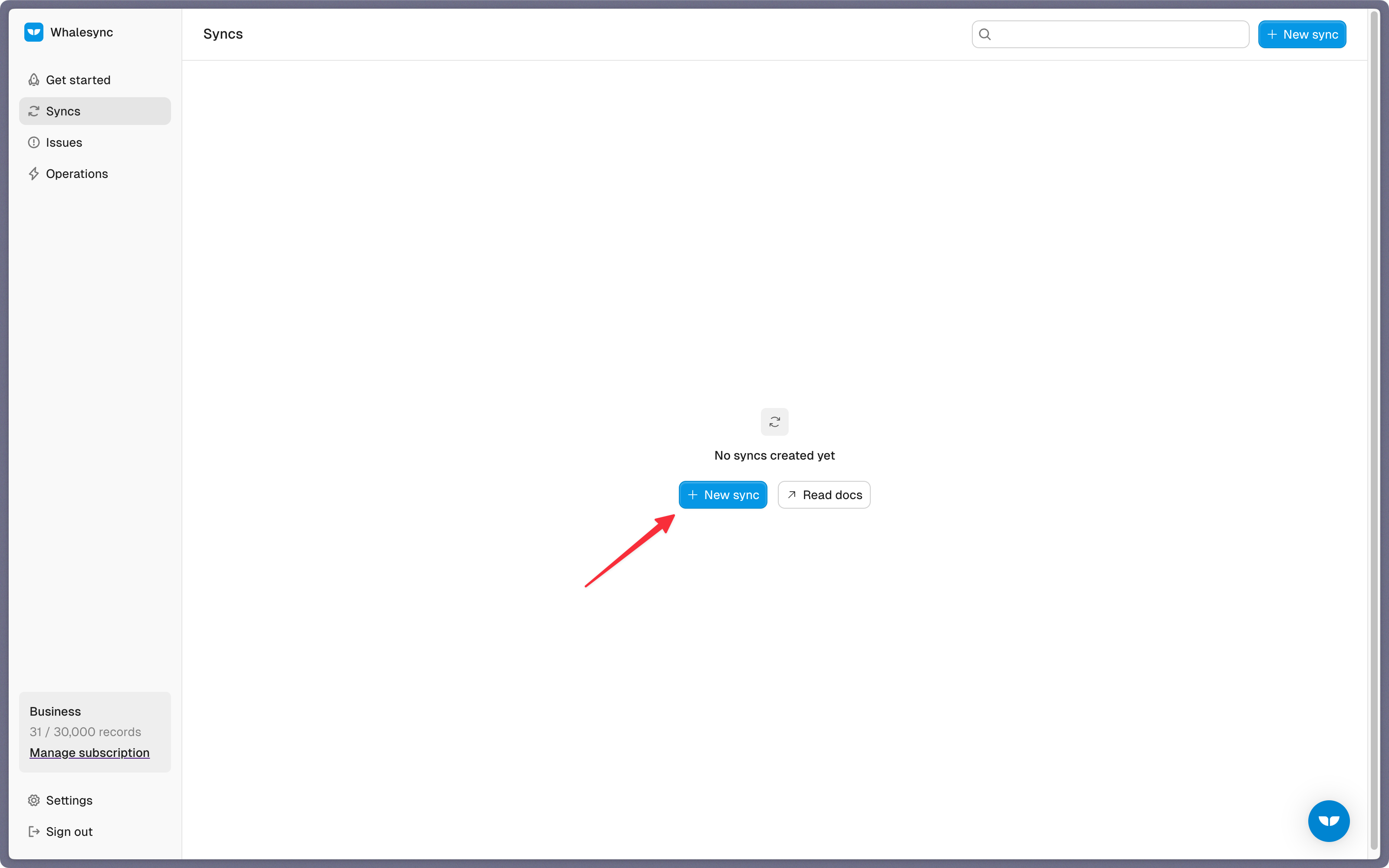
Step 1: Create a new sync
Log in to your Whalesync account and click ‘New sync’
Step 2: Authorize your apps
Select the apps you want to connect. In this case, it’s Postgres and Stripe.
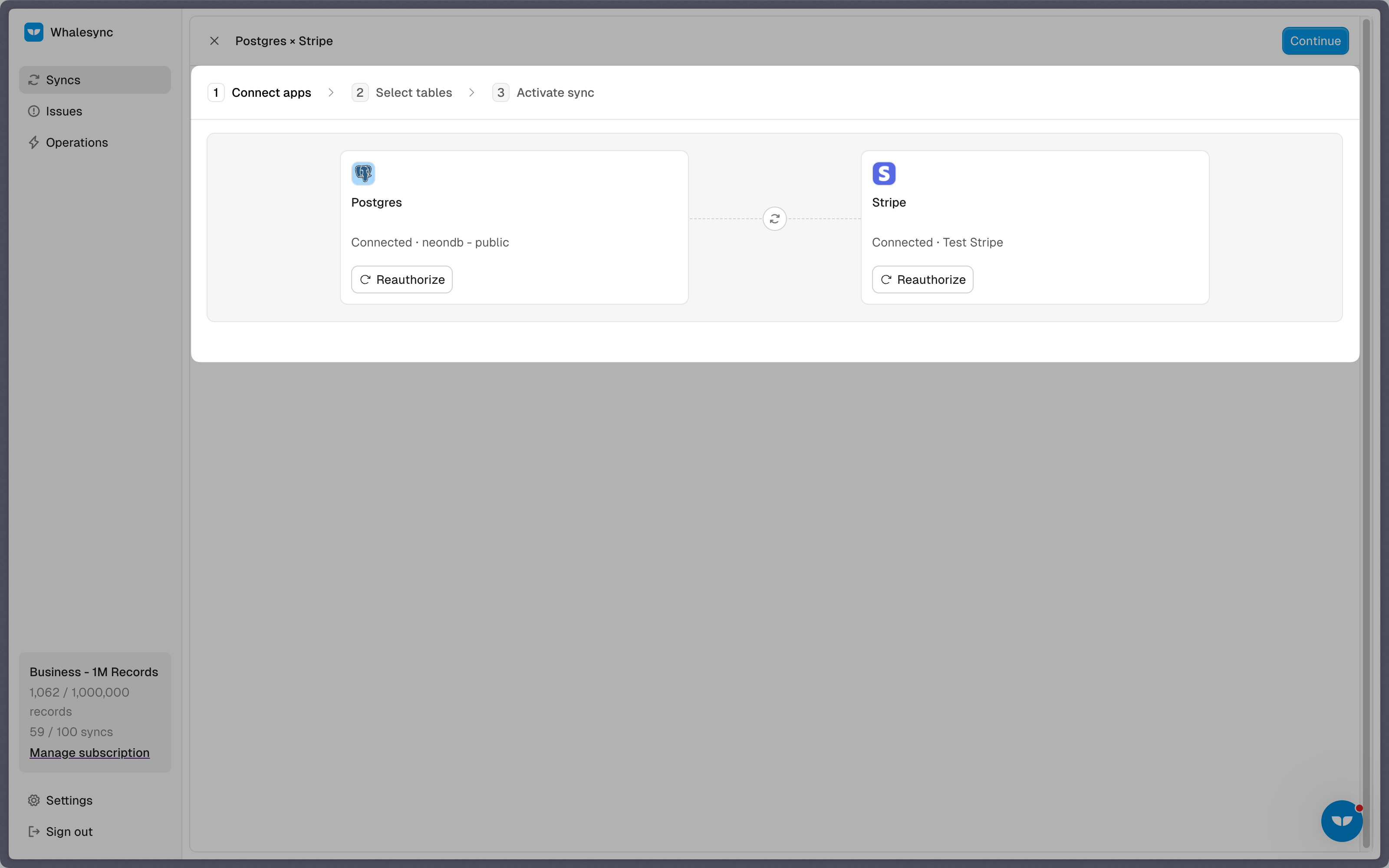
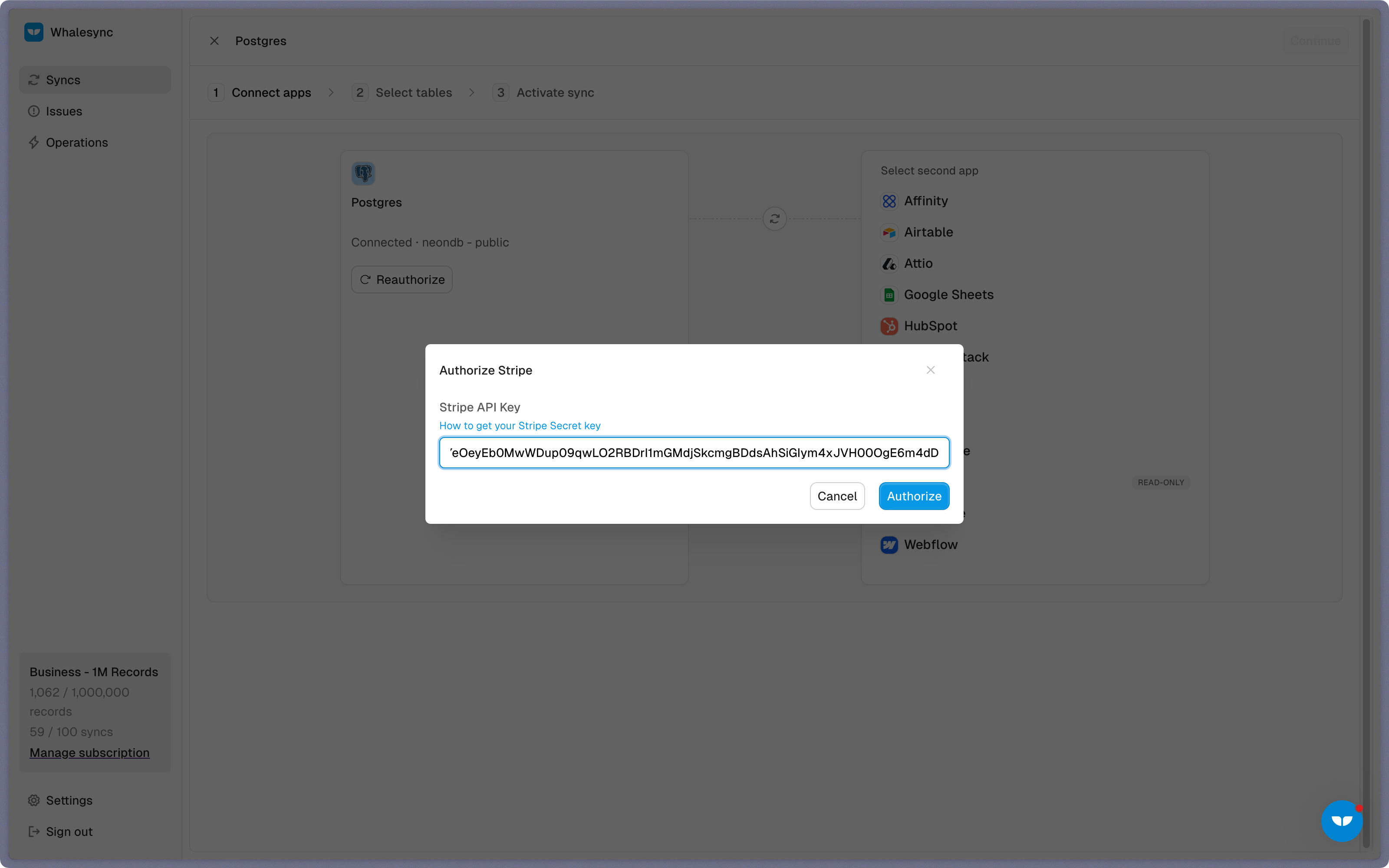
Then, authorize these two apps. Authorizing the apps enables Whalesync to have access to your app data in order to complete the syncs.
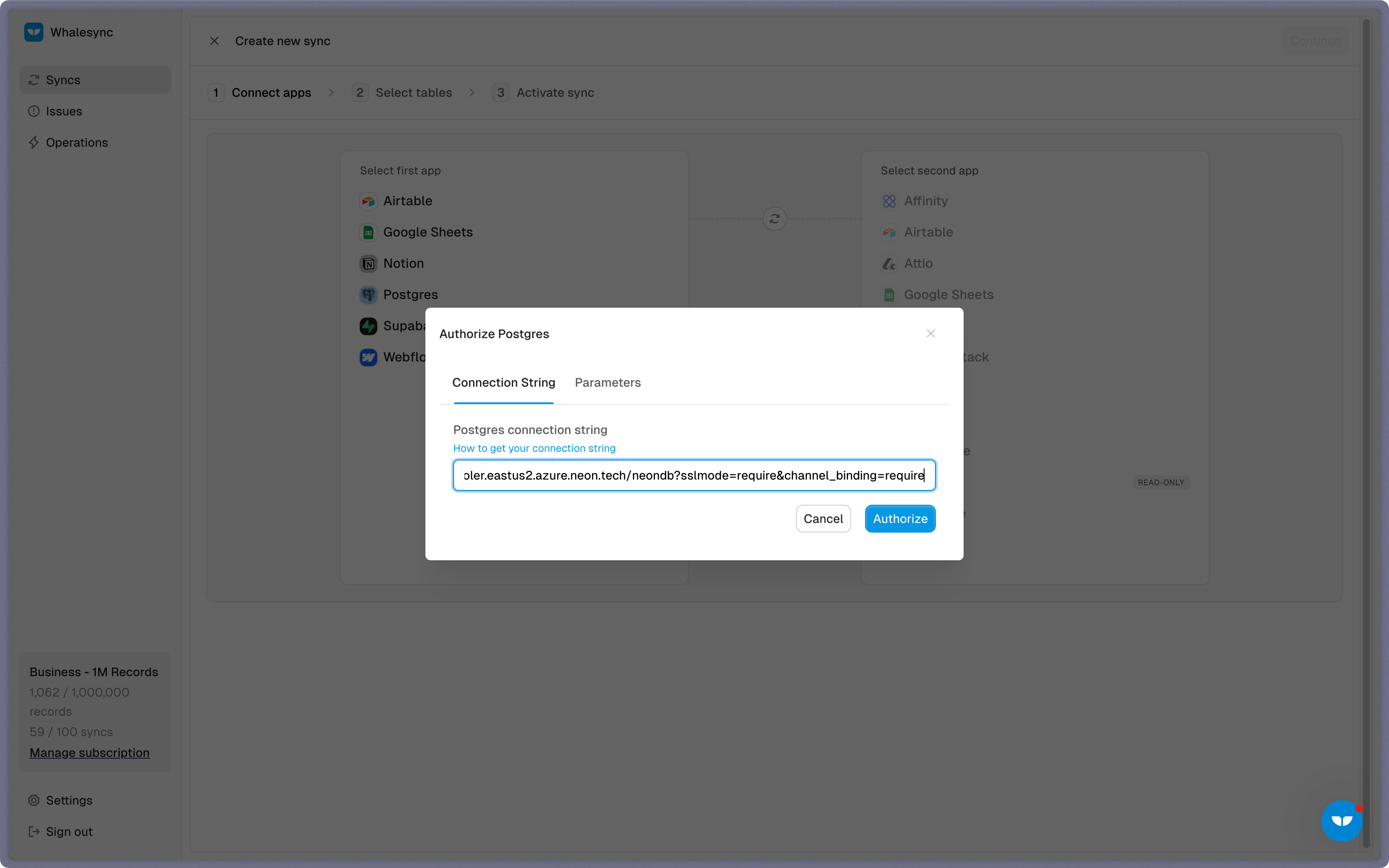
When authorizing Postgres, you’ll enter your connection string and choose the specific database and table to sync data into.
To authorize Stripe, you’ll enter your Stripe API Secret Key.
Step 3: Map your tables
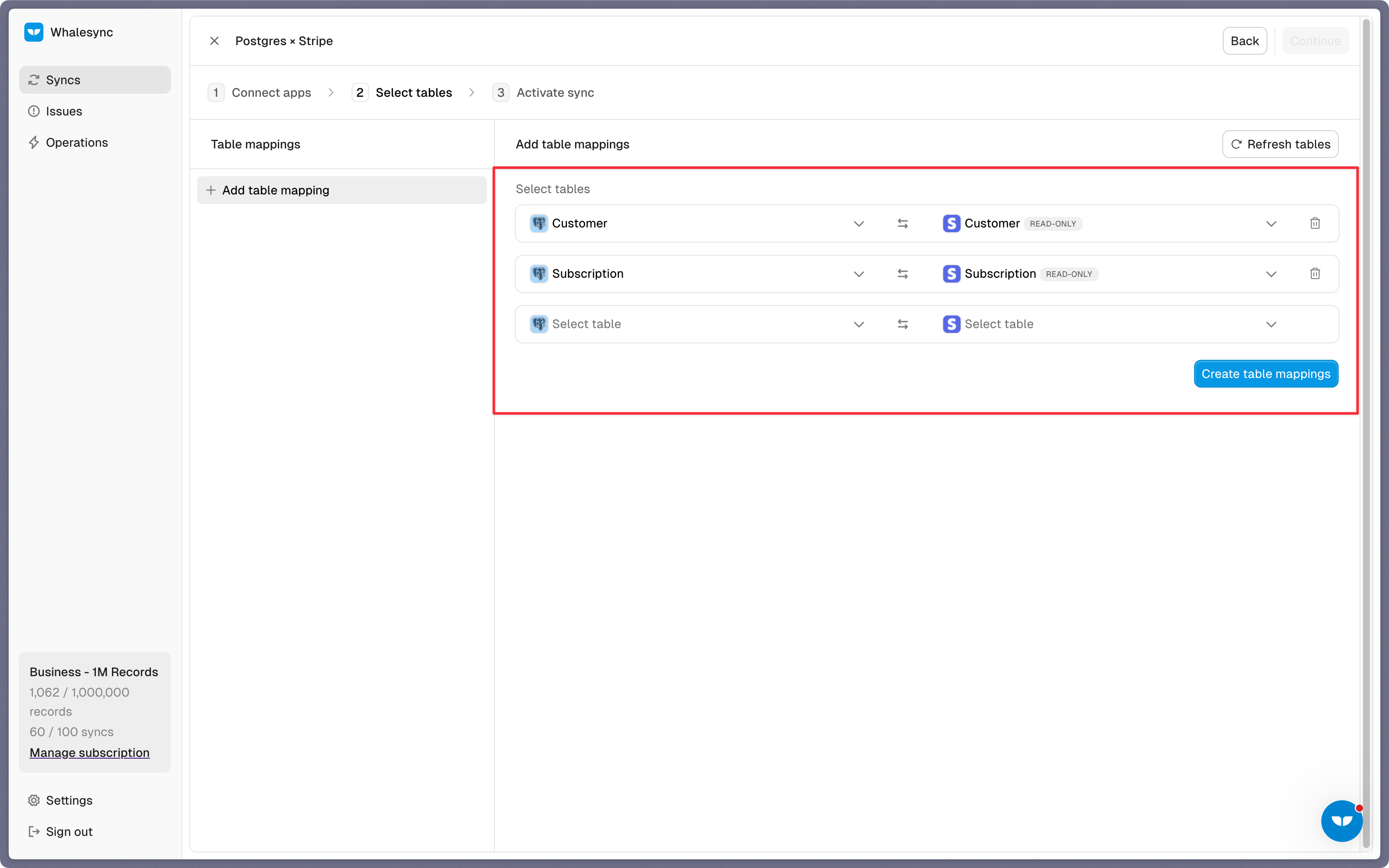
Choose the tables that you want to sync from Stripe to Postgres. You can add multiple table mappings to a sync and related fields. You can also create new tables in your database directly from Whalesync’s UI.
Step 4: Map your fields
You can choose how many fields you want to map, whether you want to map all of the fields or just a few.
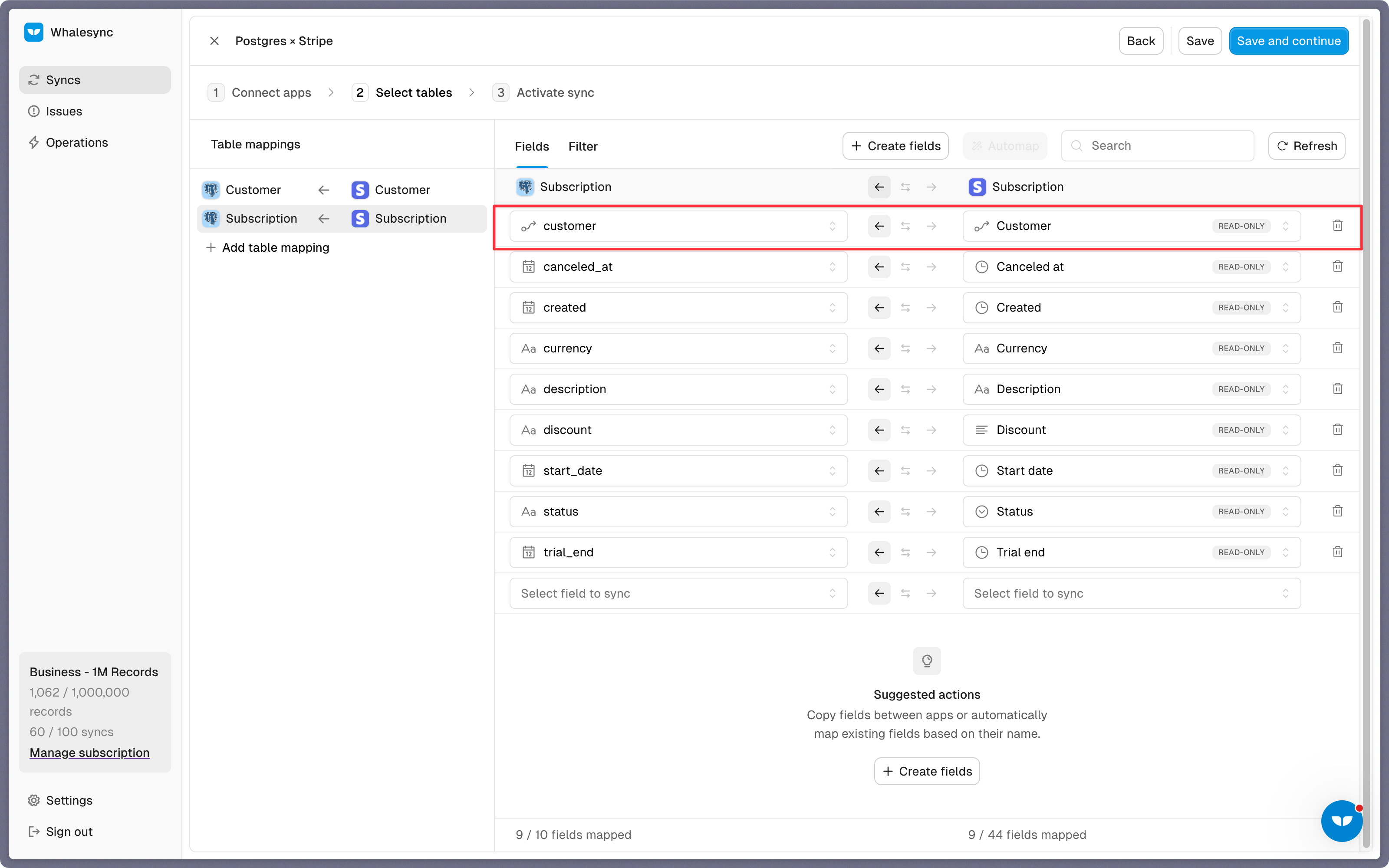
Think about which Stripe data you want to use in Postgres, like subscription tier, invoice status, next billing date, or customer email and map accordingly.
You can also create new fields during this step.
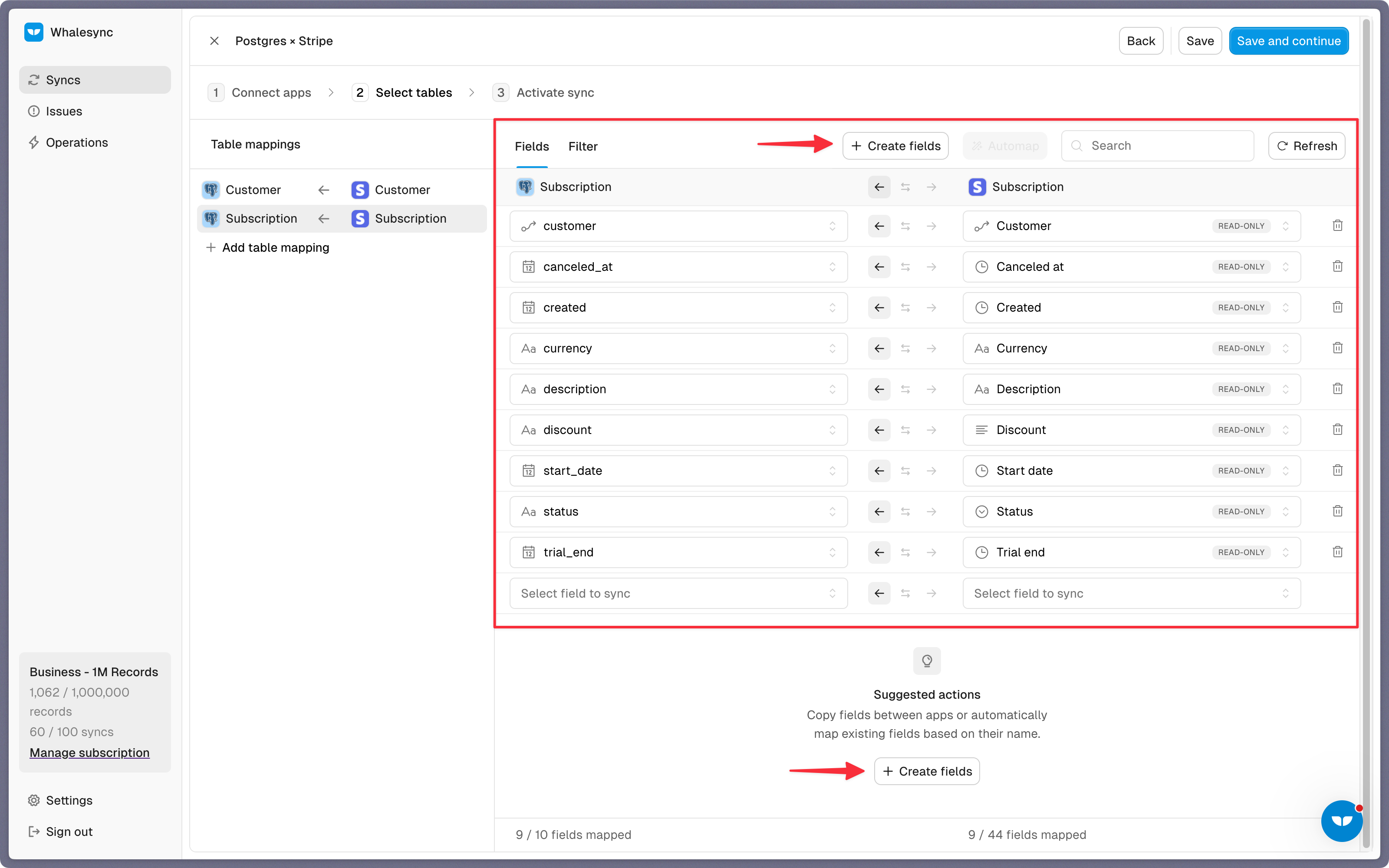
Once the sync is set up, your Stripe data will begin syncing to your Postgres table.
Step 5: Activate sync
The final step is to activate your sync! Before you activate your sync, you’ll see a preview that shows you how many records will be added to Postgres.
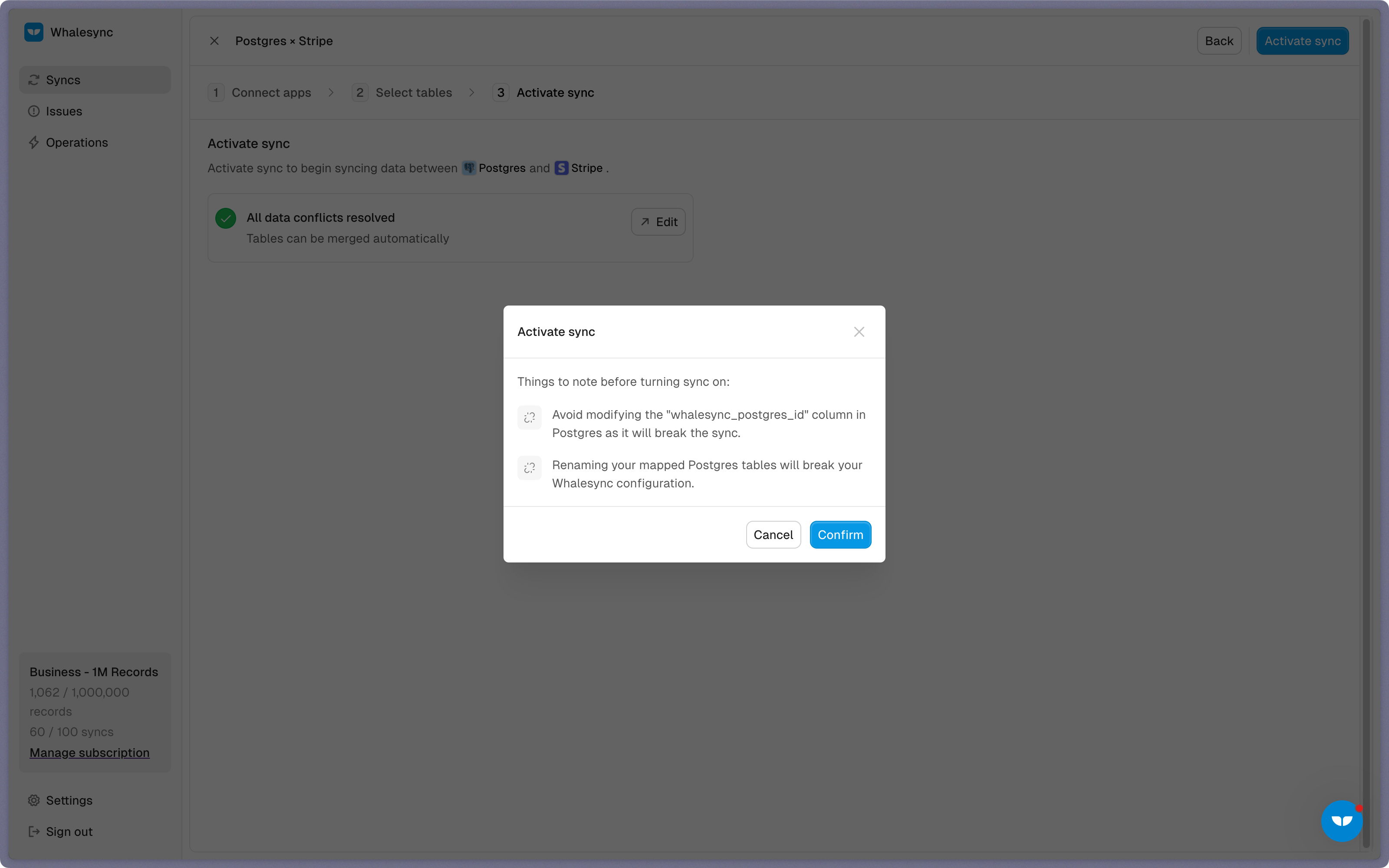
Done! Postgres and Stripe is synced 🤝
Wait a few seconds and your Postgres database will be populated with synced Stripe records.
Start syncing today
Syncing Stripe with Postgres gives your product and data teams a reliable way to unify payment data in minutes. Ready to connect Stripe and Postgres? Get syncing today

Subscribe for more
Stay up to date with the latest no-code data news, strategies, and insights sent straight to your inbox!