Announcing Notion Page Sync
Our latest feature: sync Notion page content to Webflow and other apps!

Today we're excited to announce that Notion page sync is live!
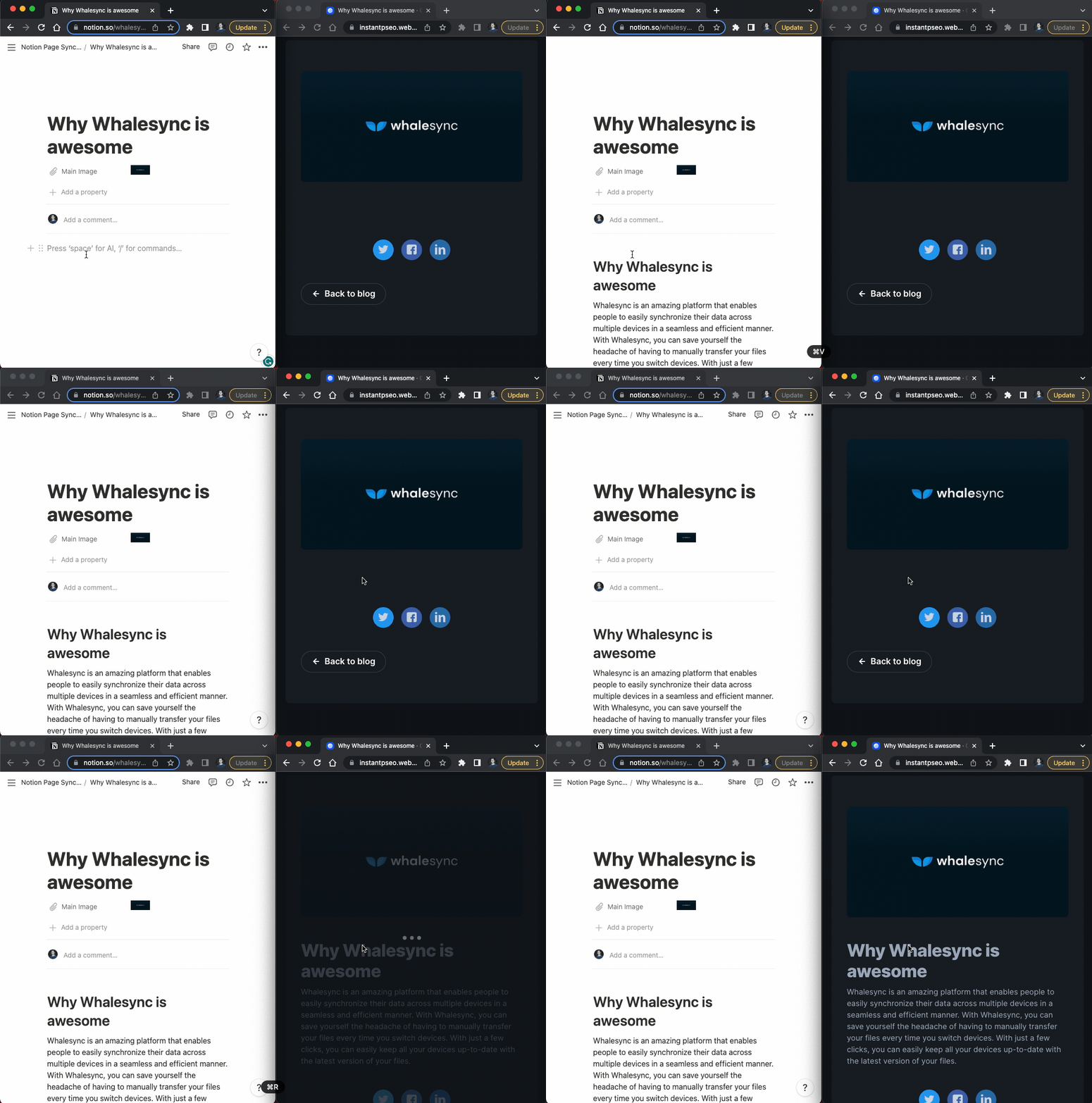
You can now sync headings, images, videos, & more from Notion pages out to other apps. Imagine writing an entire blog post entirely in Notion and it instantly appears on your Webflow site. Even crazier, Notion AI will write entire blog posts that sync instantly as well 🤯.
Why We Built Notion Page Sync
We love Notion for many reasons, but one of its most powerful features is its editor. Notion is a fantastic place to write blog posts and manage content operations.
Unsurprisingly, one of our most common feature requests was to sync the content of these pages to other places. Content teams (including our own!) wanted to write posts in Notion and sync them to their web builder of choice (e.g. Webflow).
With Notion page sync this is now possible and I can honestly say this is one of my favorite features we've ever built. You can now have AI write a blog post in Notion, your entire team edit and comment on it, and as soon as you're ready, it appears on your live website. We hope you enjoy!
Learn More
For a full list of supported blocks and other tips, check out our docs.
Get Started
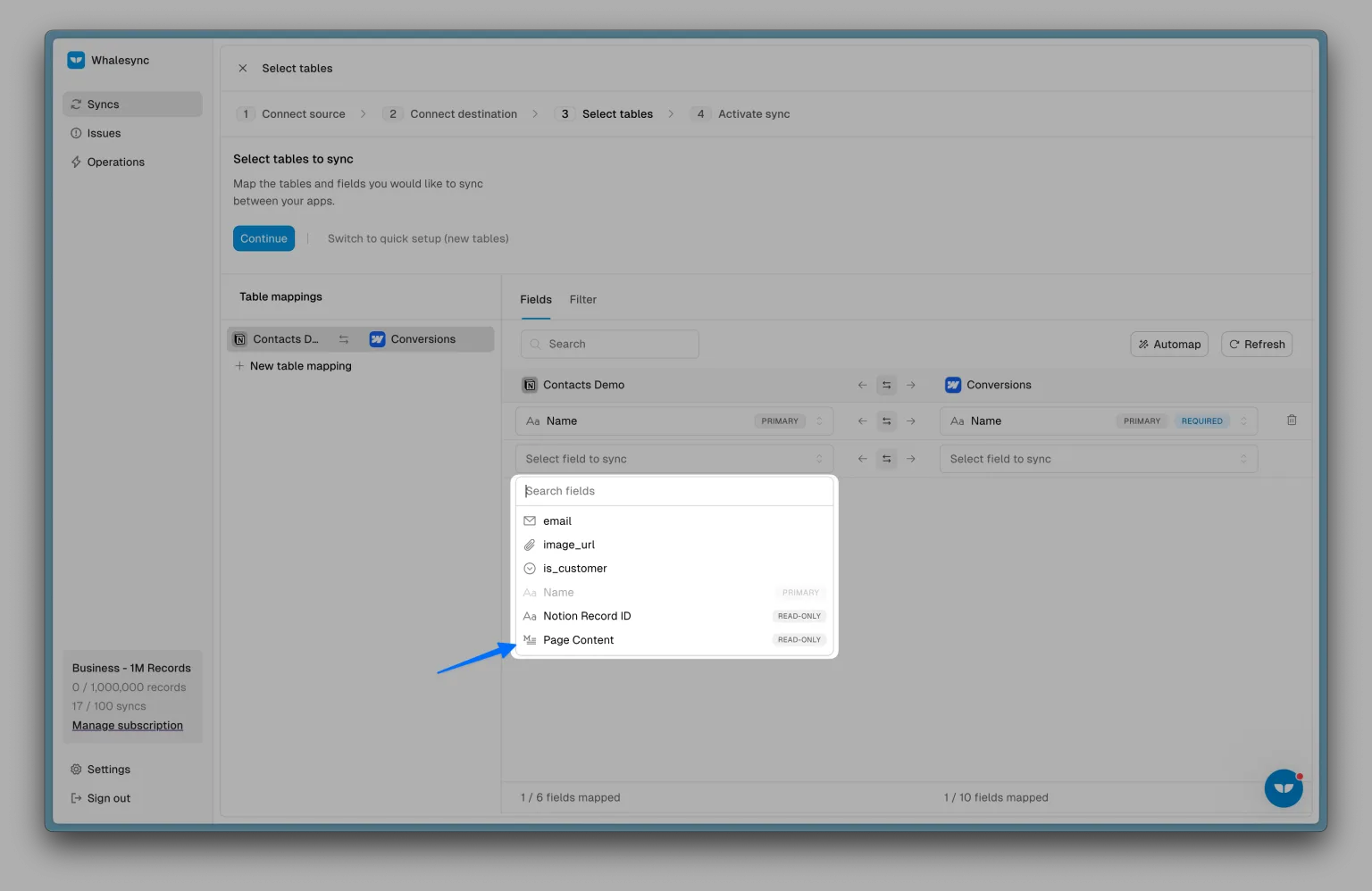
You can get started with Notion page sync by creating an account and choosing "Notion page content" on the field mapping screen:
Subscribe for more
Stay up to date with the latest no-code data news, strategies, and insights sent straight to your inbox!