Feature
Auto-create tables

Matthew Busel
December 31, 2024
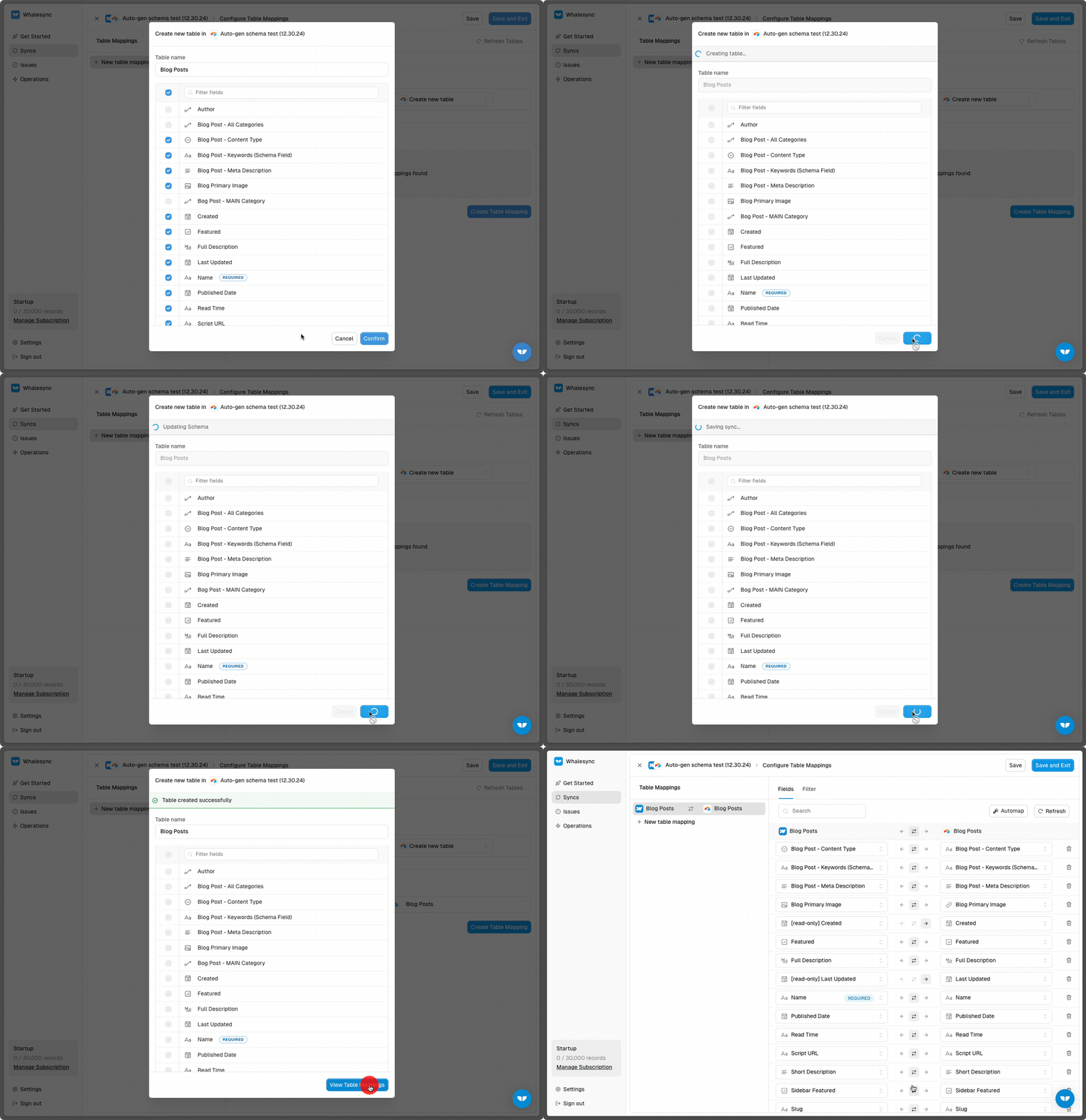
Whalesync can now automatically create tables in Airtable!
E.g. Connect a Webflow Blog Posts collection and create a table in Airtable with all the same fields!
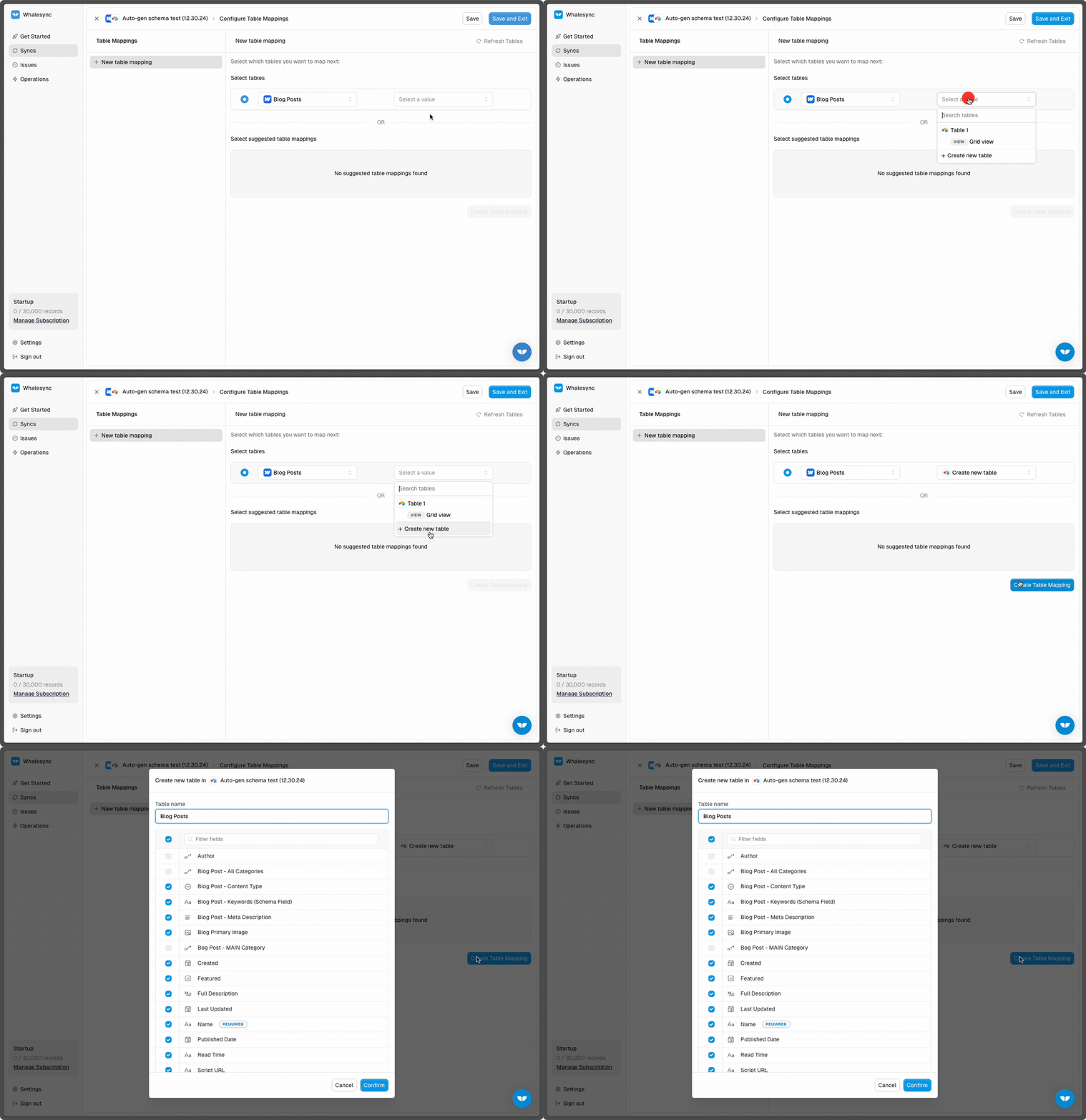
To auto-create a table in Airtable simply:
- Select the table in your other app.
- Select "Create new table" in the Airtable dropdown.
- Choose the fields you want auto-created.
This saves a ton of time when setting up new tables to sync! No more manually creating tables and fields one-by-one 🪄
For the full breakdown, check out our docs.
Discover more
Recent updates

Connect your tools in minutes