Supabase and Airtable integration
Whalesync syncs Supabase and Airtable both ways. Your app's tables show up in Airtable for the team to edit, and every edit is written back to the rows your app reads.


What you can do with Supabase and Airtable
Run your app's back office from Airtable
Your app writes bookings to Supabase, and the operations team handles them in Airtable: they confirm a stay, move a date, or cancel, and the change lands in the row your app reads. Nobody needs a Supabase login, and nobody has to build an admin panel. If the status is a Postgres enum, it stays strict: a value outside the enum is refused with a sync error instead of being written.
Review new listings on a Kanban board
When a host submits a listing in your app, it lands in Supabase as pending review and appears on an Airtable Kanban board grouped by that status. A reviewer reads it, drags the card to Approved or Needs changes, and the new status is written to the listing's row. Your app, which shows guests only approved listings, picks it up from there.
Write tour pages in Airtable, linked the way your app joins them
Write each boat tour's name, price, and length in Airtable, and link it to the harbor it sails from. The link syncs as a foreign key, so the tours table in Supabase points at the harbor's row and the query your app runs to join them keeps working. A foreign key holds one row, so each tour links to one harbor.
Move a base onto Supabase and keep editing in Airtable
If your product started on an Airtable base, Whalesync can create matching tables in Supabase and keep both in sync, so the team keeps working in Airtable while the app reads Postgres. Tables it creates go in the public schema with row-level security turned on, so your app's users see nothing in them until you add a policy.
Everything that syncs
Each card is something you can sync between Supabase and Airtable.
-
All Tables
Two-way
-
All Tables
Two-way
How to sync Airtable to Supabase in 5 minutes

Step 1: Create a new sync
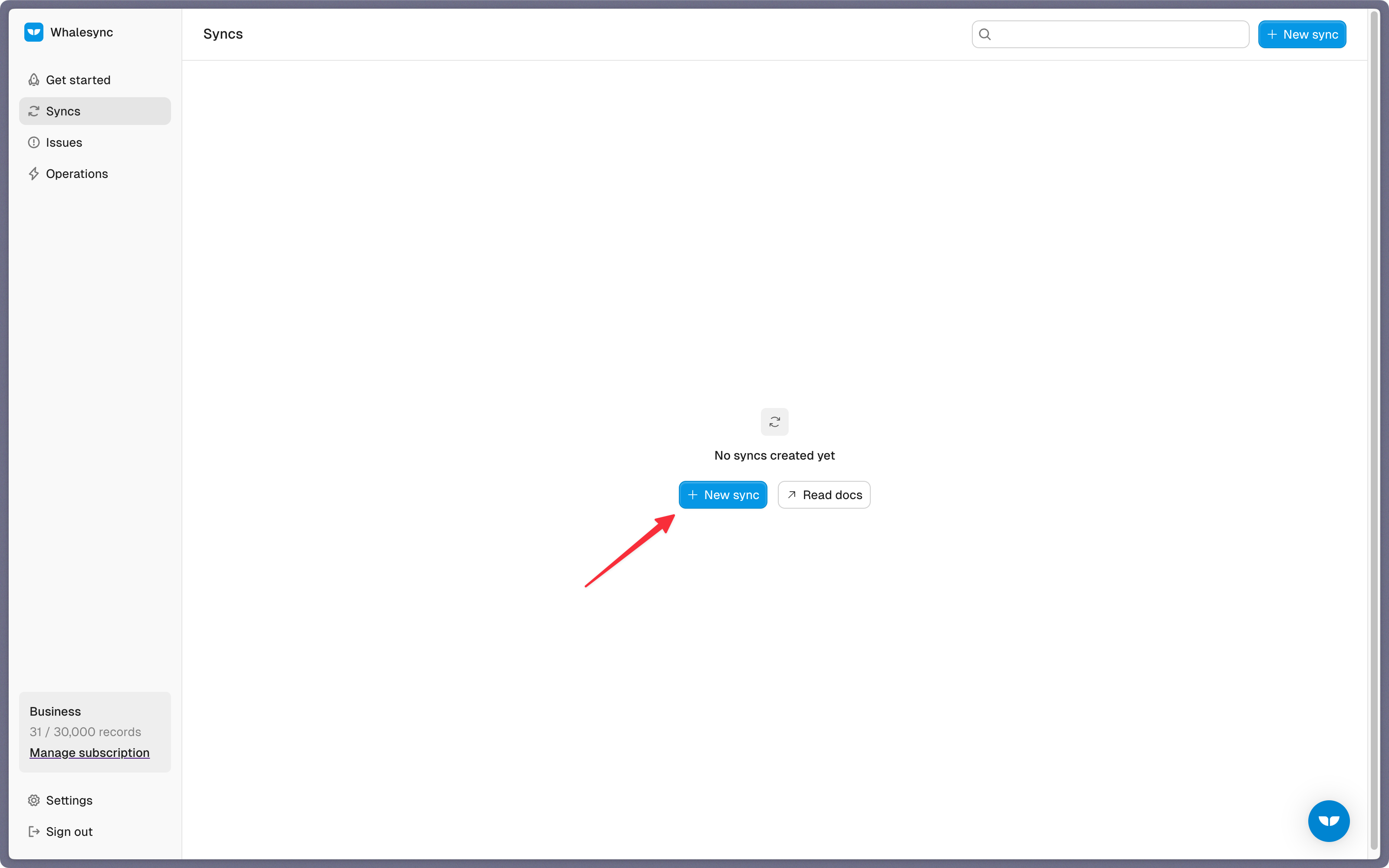
In Whalesync, click New sync and pick Supabase and Airtable.
Step 2: Authorize your apps
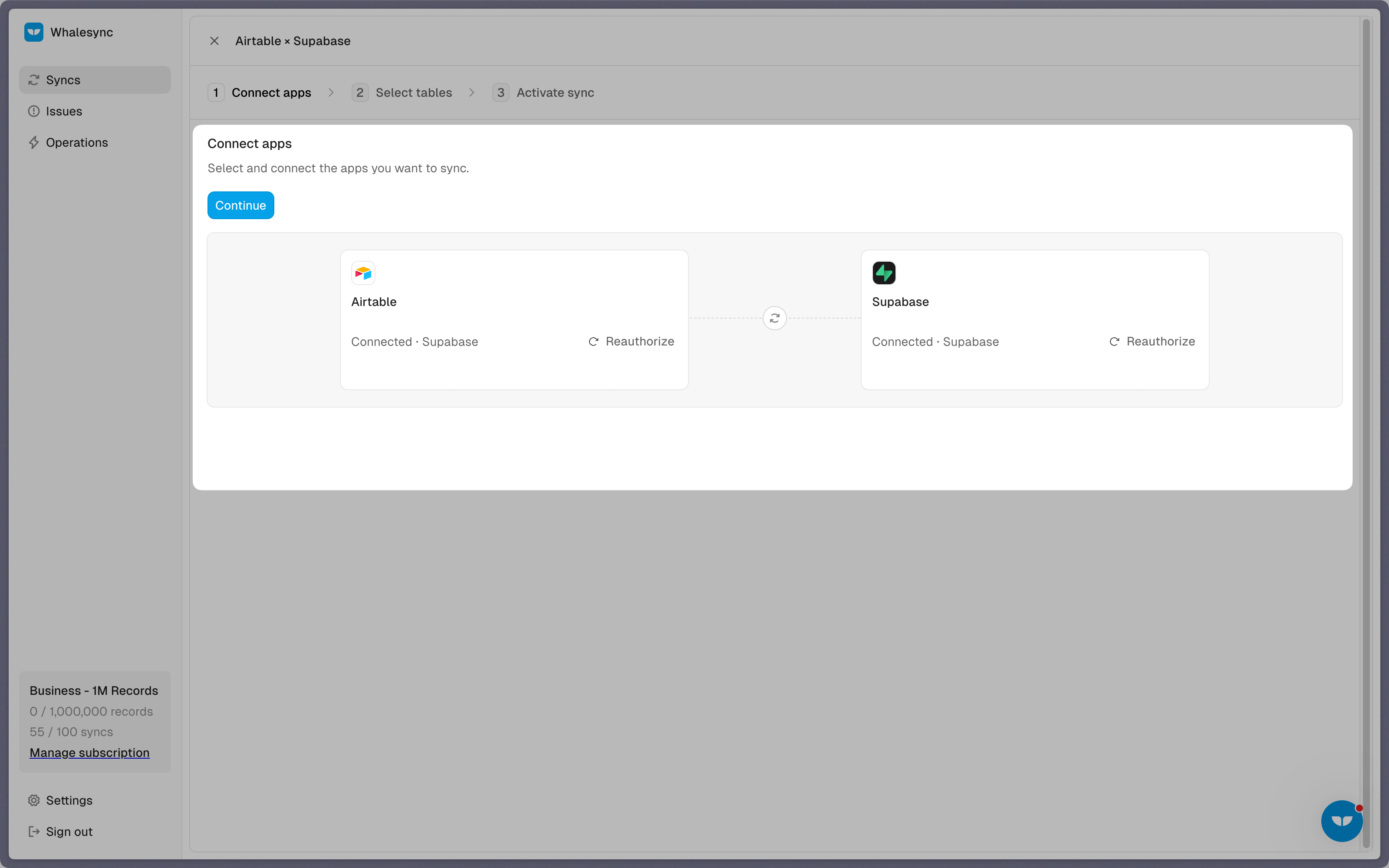
Sign in with Supabase, share the organization your project belongs to, and choose the project. There's no connection string or password to paste. Whalesync then creates a database role of its own in that project, named whalesync_service_account_ followed by an ID, and syncs through it; you can remove it with SQL if you stop syncing. If the project limits which addresses can connect, add 34.66.3.22 under its network restrictions.
For Airtable, sign in and grant Whalesync the base that holds the tables your team will edit.
Step 3: Map your tables
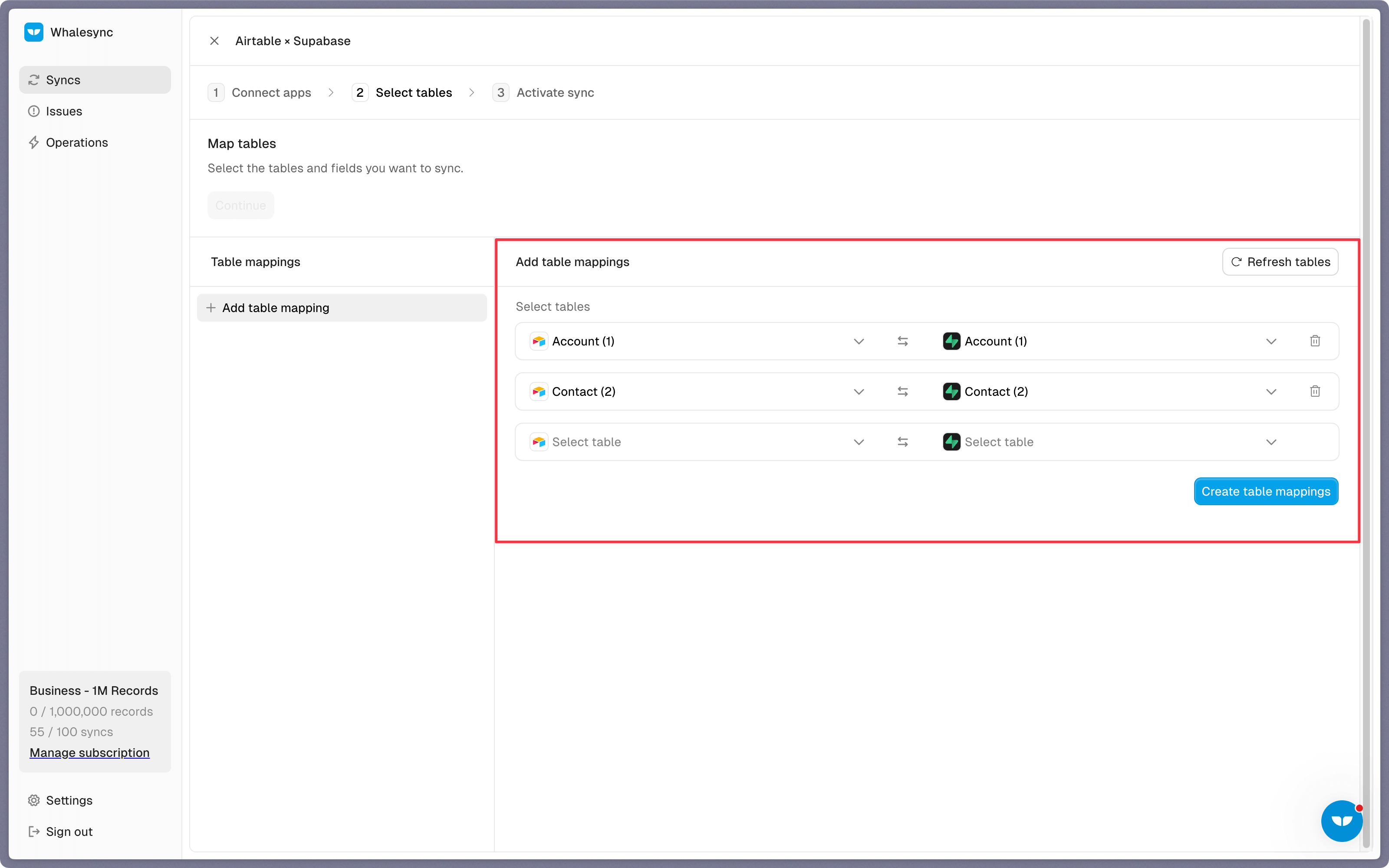
Pair each Supabase table with an Airtable table, such as bookings with Bookings. Tables in every schema of your own are listed, and Supabase's own schemas, such as auth and storage, are left out. To start a table on the empty side, pick Create new table; a new Supabase table goes in public. A Supabase table needs a primary key with a default, such as id bigint generated by default as identity or a uuid with gen_random_uuid(); if it has none, Whalesync offers to add a whalesync_postgres_id column.
Step 4: Map your fields
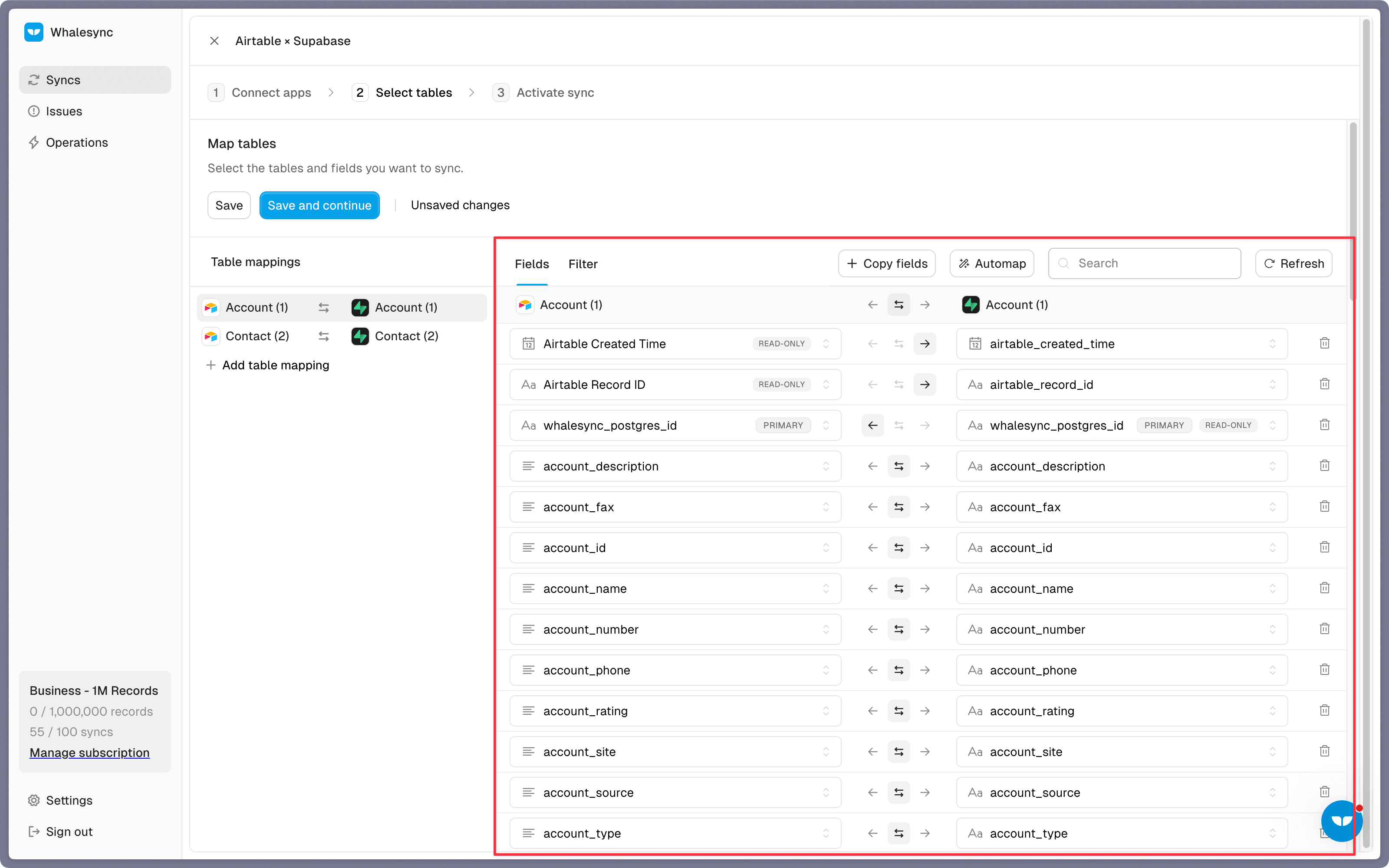
Whalesync has an AI model suggest which columns go with which Airtable fields, judging by name and type, and Automap accepts its suggestions. Review them, map what's left, and set each field's direction with its arrows. Map Airtable Record ID into a text column in Supabase and whalesync_postgres_id into a text field in Airtable, both one way, so every record carries the other app's ID. A linked record field maps to a foreign key column, as long as the table it references is in the sync too.
Step 5: Activate sync
Where both apps already hold rows, match them on a field that's the same in both, such as an email or the ID you stored, and pick which app's values to keep when a matched pair differs. You get one chance to match, at this step. The confirmation lists what to leave alone afterward: the whalesync_postgres_id column, and the names of mapped Supabase tables, since renaming one breaks its mapping. It also flags the monthly API call limits on Airtable's Free and Team plans.
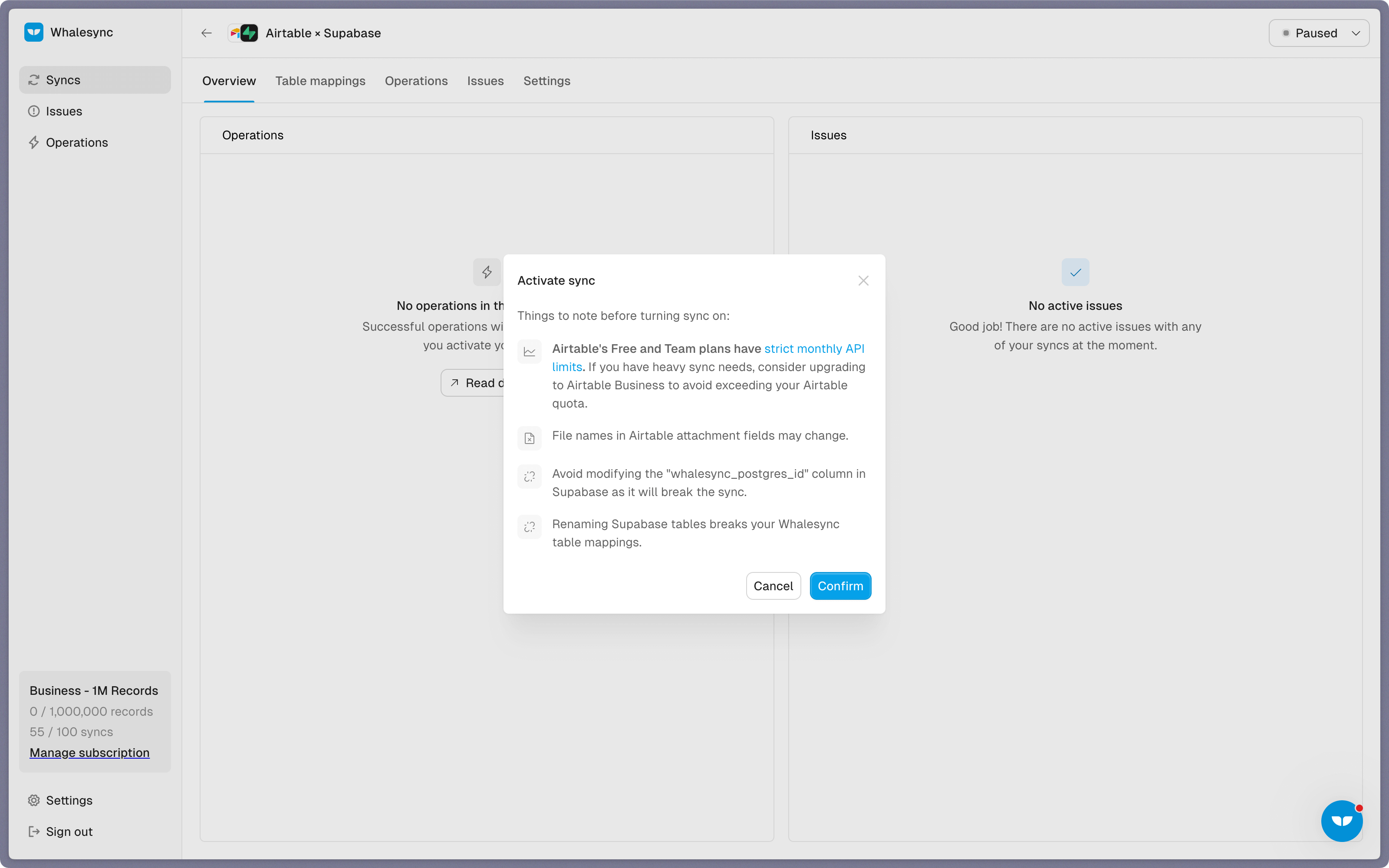
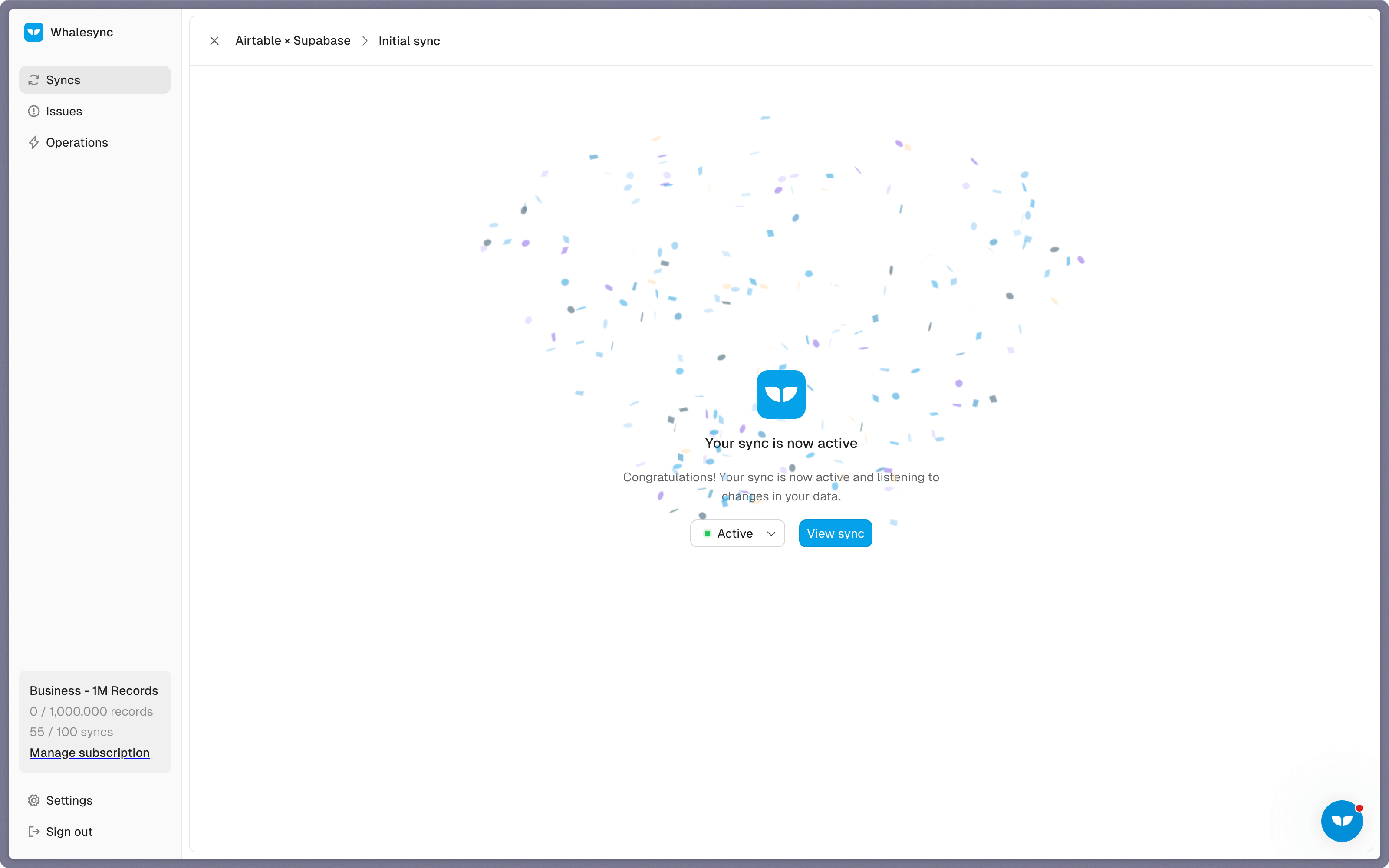
Confirm, and the first sync runs.
3 ways to connect Supabase and Airtable
-
Supabase Airtable Wrapper
Best when your app only needs to read Airtable with SQL, and nothing has to be written back to Airtable.
- Built by Supabase, as a Postgres foreign data wrapper
- Read-only: no inserts, updates, or deletes into Airtable (Supabase)
- Filters run in Postgres after the rows arrive from Airtable, so large tables are slow to query
-
Make
Best when a change in Supabase should start a scenario with several steps, such as creating an Airtable record and posting to Slack.
-
Whalesync
Best when your team works in Airtable on the same rows your app reads and writes in Supabase.
- Writes into Supabase through a role of its own, which row-level security doesn't filter
- Creates tables and fields on either side when one is missing
- Priced by records in sync, and edits to them aren't counted
Supabase Airtable Wrapper and Make checked against their own pages in November 2026.
Frequently asked questions
Can I use Airtable as an admin panel for Supabase?
Yes. Sync the tables your team needs to see, such as bookings or user profiles, into an Airtable base, and edits made there are written to the same rows in Supabase. Airtable's own views, filters, and interfaces then serve as the panel, with nothing to build or host.
Does Supabase integrate with Airtable?
Supabase's Airtable wrapper lets Postgres query an Airtable table, read-only. For edits in both directions, use a two-way sync like Whalesync's, or build one-way scenarios in Make. The three are compared side by side above.
Does row-level security block the sync?
No. Whalesync connects as a database role it creates in your project, whalesync_service_account_ and an ID, which bypasses row-level security, so it reads and writes every row of the tables you map. The policies your app's users go through don't change, and you can drop the role if you stop syncing.
Can I sync Supabase auth users to Airtable?
Not the auth.users table: Whalesync leaves Supabase's own schemas, auth and storage among them, out of the sync. Keep the fields your team needs in a table of your own, such as public.profiles, and sync that.
Can Whalesync create the Supabase tables for my Airtable base?
Yes. Choose Create new table when you map an Airtable table, and Whalesync creates it in the public schema with matching columns and a whalesync_postgres_id key. It turns row-level security on for the new table, so add a policy before your app reads it with the anon or authenticated role.
Is the Supabase Airtable sync real-time?
Airtable notifies Whalesync of each change, so edits made there reach Supabase soon after. Whalesync doesn't use Supabase Realtime: it reads the mapped tables over and over, so a change made in Supabase arrives on the next pass, which takes longer on a large table.
Supabase and Airtable guides

Other apps to connect



Connect your tools in minutes