Publish Your Webflow Site from Airtable (Free Script)
How to use Airtable scripting to publish your Webflow site.

Ever wanted to publish your Webflow site directly from Airtable?
Lots of Whalesync users sync Webflow with Airtable so they can manage their CMS from a spreadsheet. While Whalesync lets you control all your CMS items from Airtable (including publishing items), it doesn’t have a “publish my entire site button”.
Luckily, it’s really easy to create one using Airtable extensions! In this very quick guide, we’ll show you how. By the end, you’ll have a “publish my Webflow site” button directly in your Airtable base 🤯.
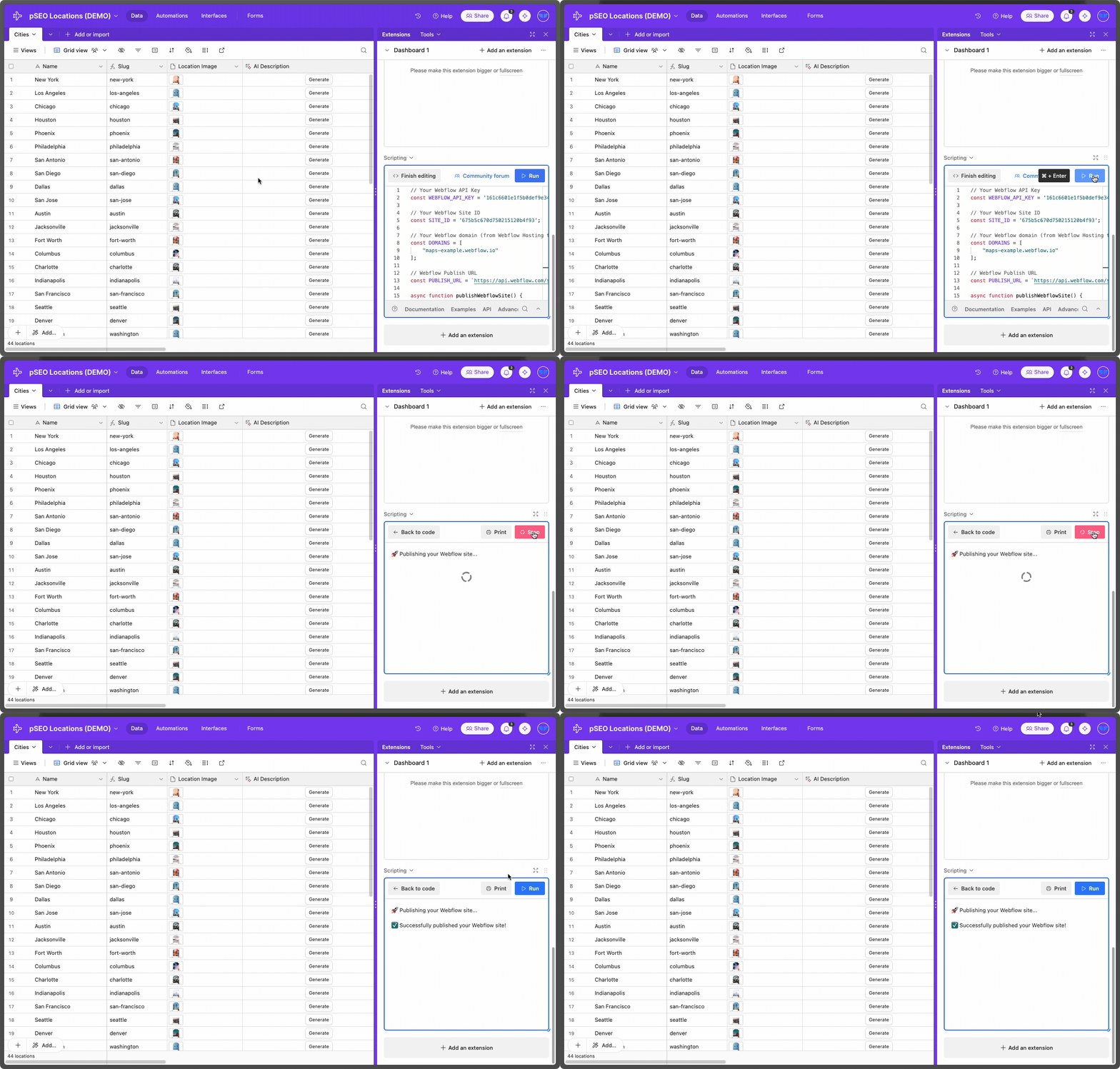
How to publish Webflow from Airtable
Below is a step-by-step guide for how to set this up. If you’re already familiar with Airtable scripting, feel free to skip to “The script” below to copy it.
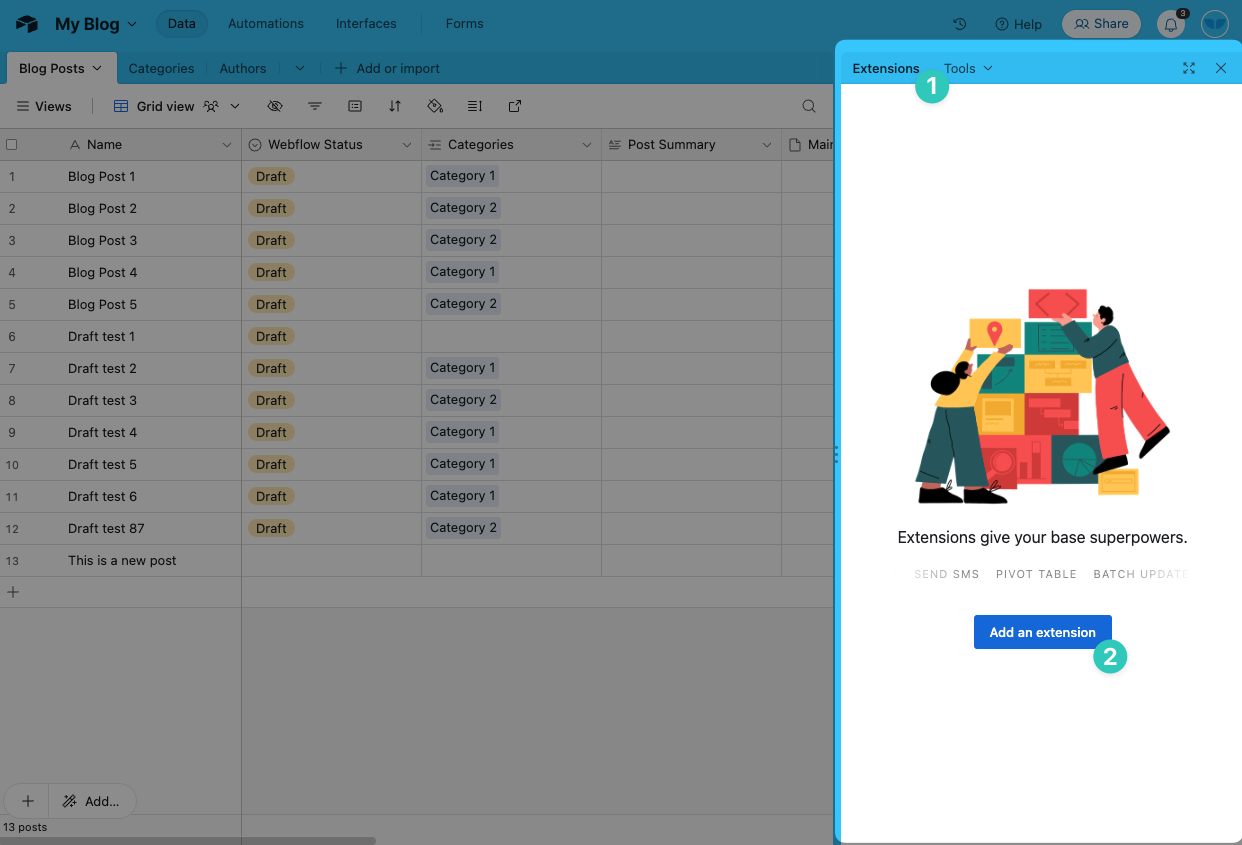
1) Go to your Airtable base and add an extension
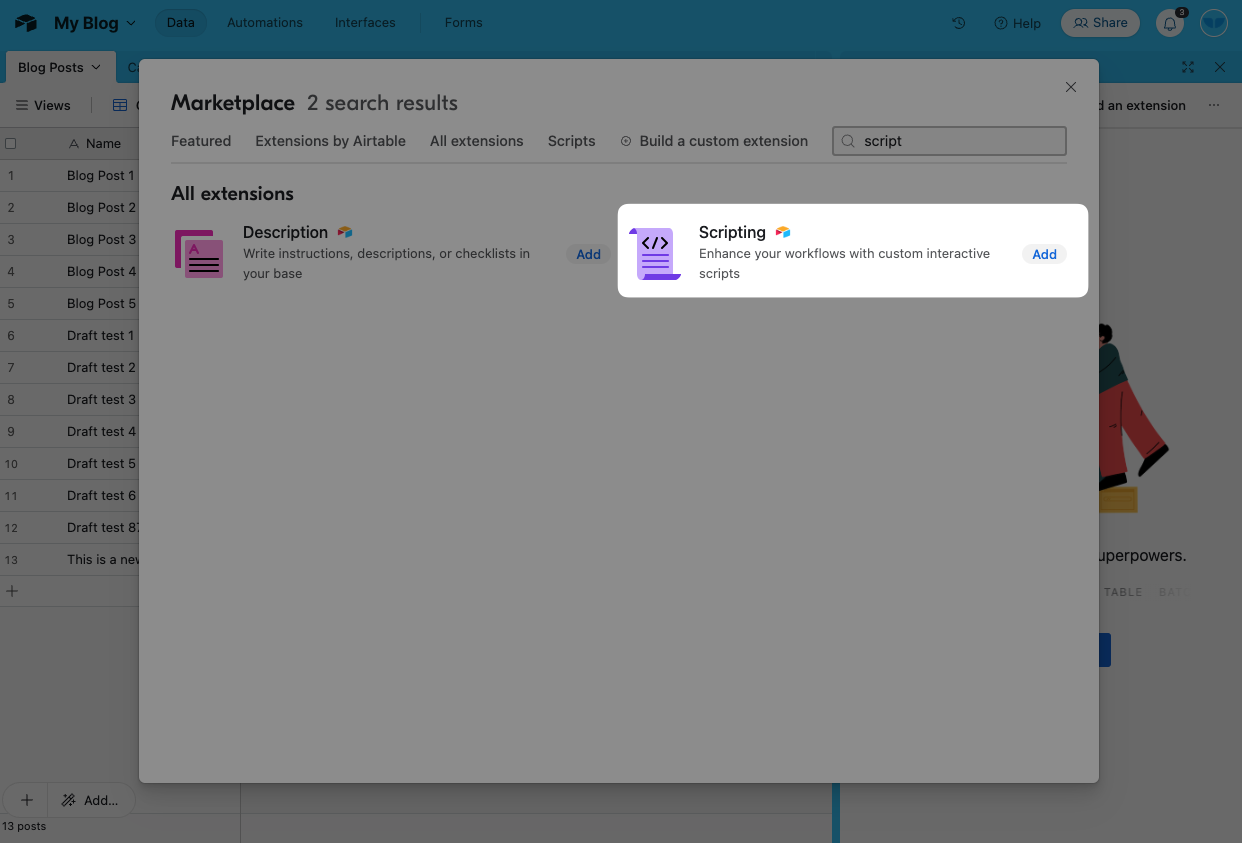
2) Add the “Scripting” extension
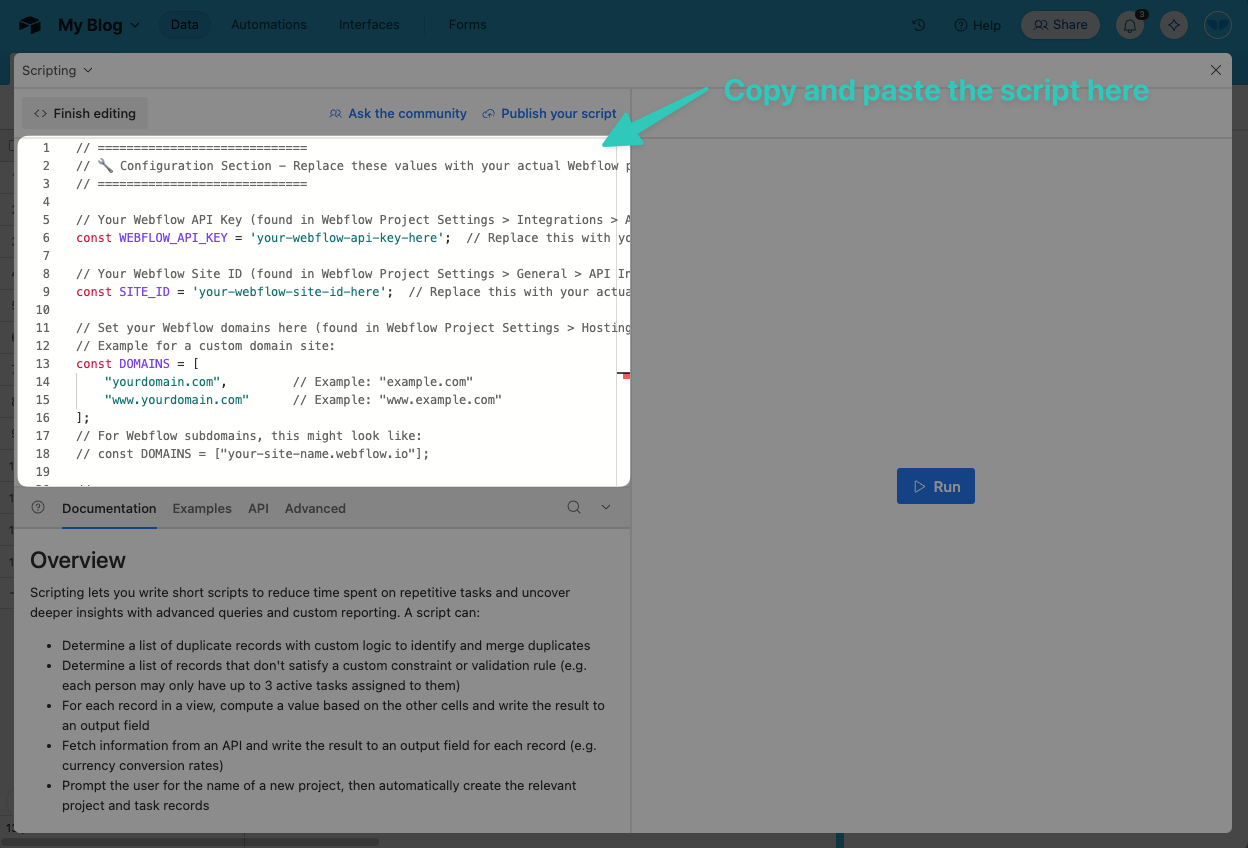
3) Copy and paste the script
Scroll to the bottom of this blog post for the full script, then copy and paste it here:
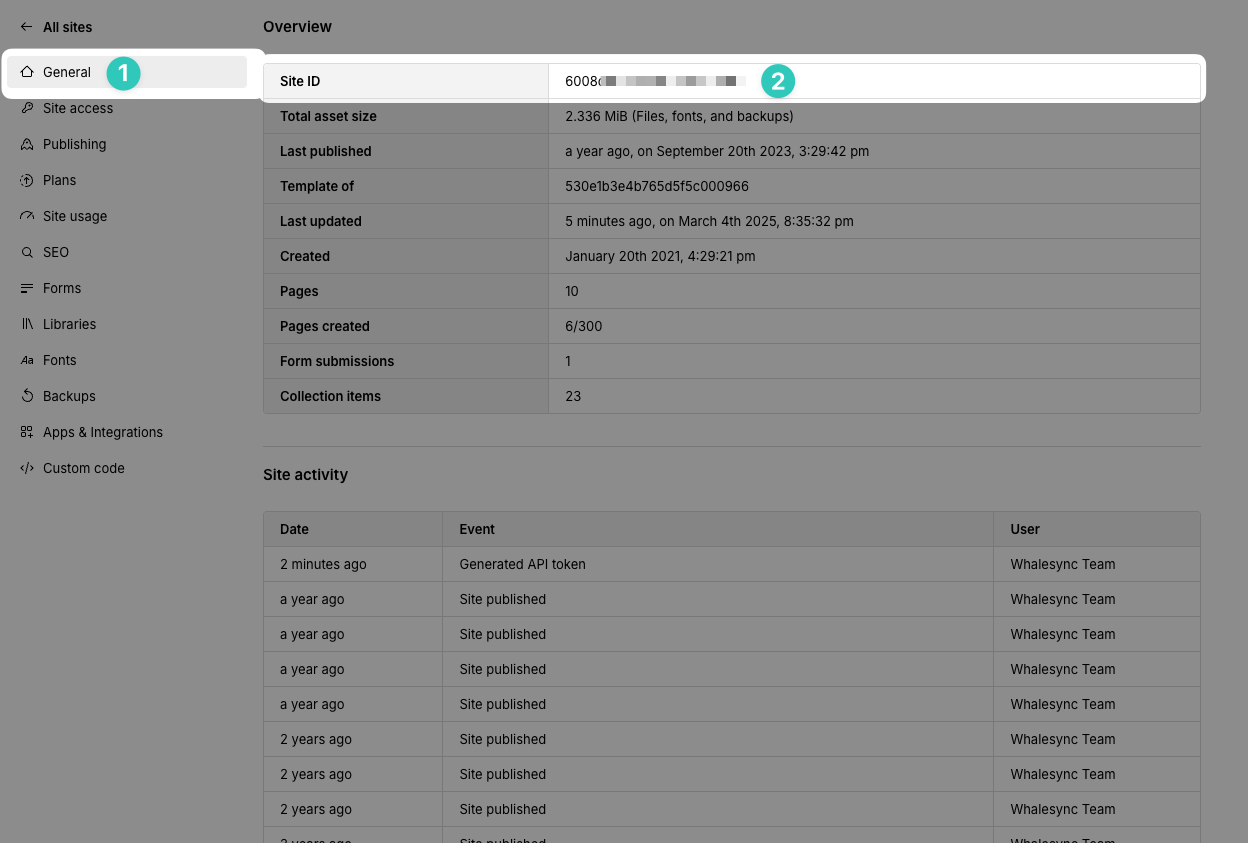
4) Go to your Webflow site settings and get your Site ID
Copy this Site ID to a notepad as we’ll be using it later.
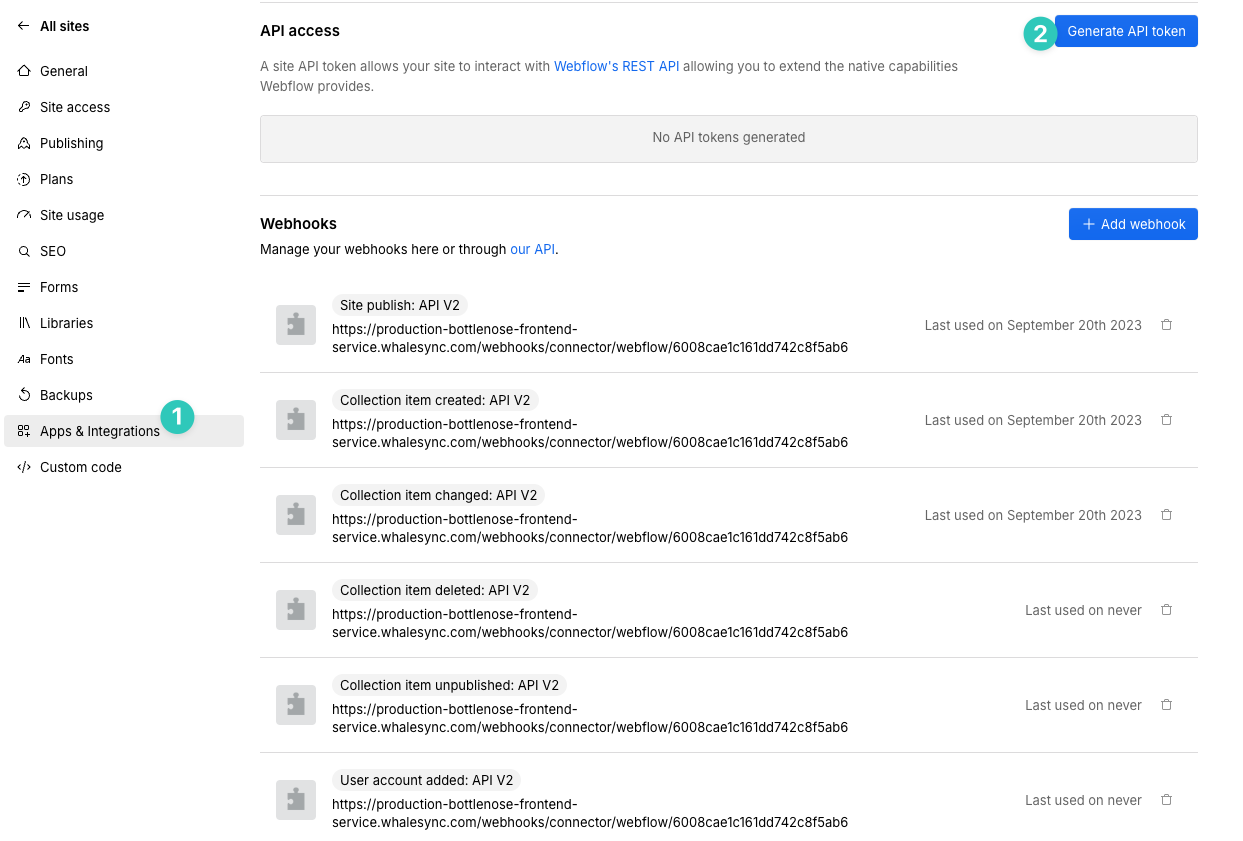
5) Go to “Apps & Integrations” and generate an API token
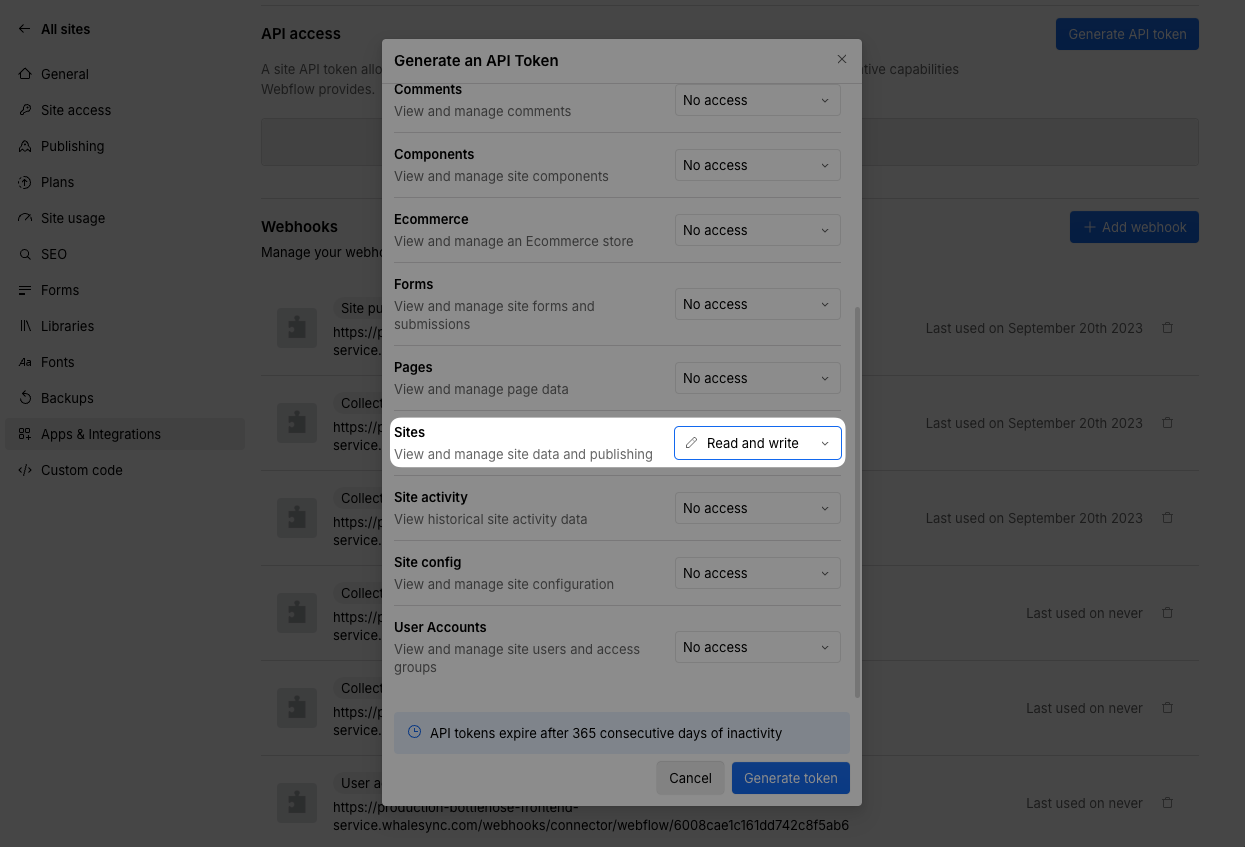
5) Give the API access to “Read and write” Sites
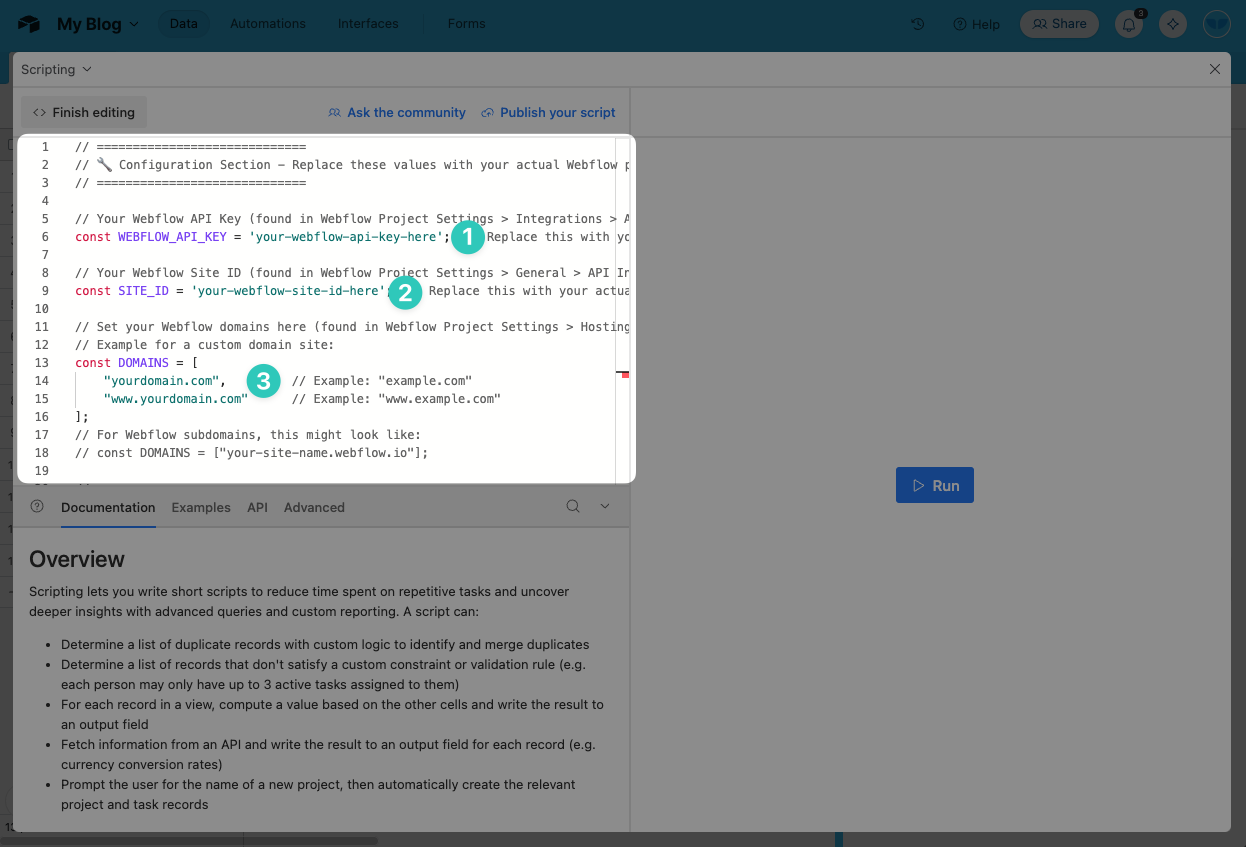
6) Paste in your API Key, Site ID, and domains into the script
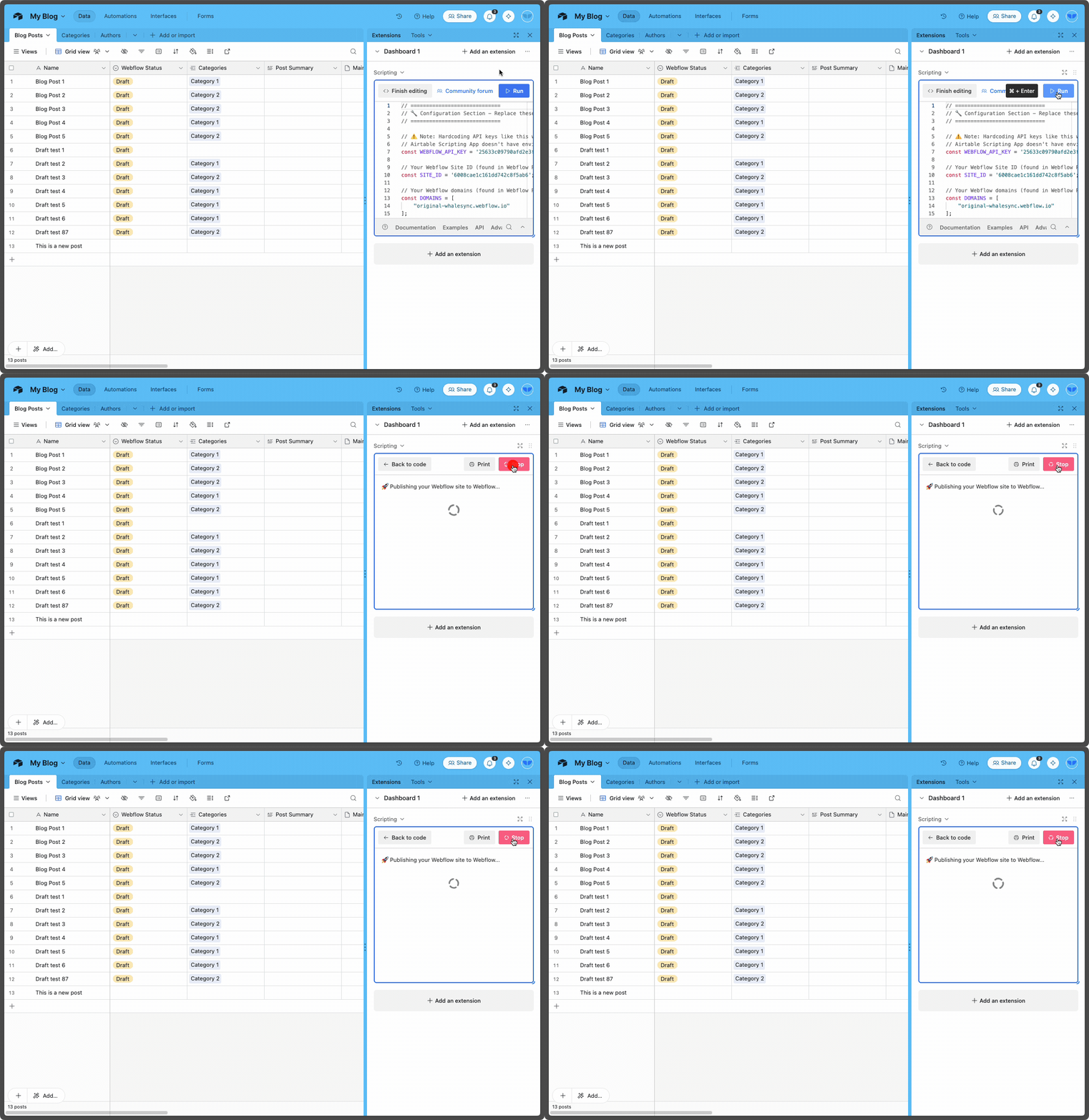
7) Run the script 🎉
The script
// =============================
// 🔧 Configuration Section - Replace these values with your actual Webflow project details
// =============================

// Your Webflow API Key (found in Webflow Project Settings > Integrations > API Access)
const WEBFLOW_API_KEY = 'YOUR_WEBFLOW_API_KEY_HERE';  // Replace this with your real Webflow API Key

// Your Webflow Site ID (found in Webflow Project Settings > General > API Information)
const SITE_ID = 'YOUR_WEBFLOW_SITE_ID_HERE';  // Replace this with your actual Site ID

// Set your Webflow domains here (found in Webflow Project Settings > Hosting)
// Example for a custom domain site:
const DOMAINS = [
    "your-site-name.webflow.io"  // Replace this with your actual domain(s)
];

// =============================
// 🚀 Script Logic - No need to change this part
// =============================

// Webflow Publish URL
const PUBLISH_URL = `https://api.webflow.com/sites/${SITE_ID}/publish`;

// Main function to publish site
async function publishWebflowSite() {
    output.text('🚀 Publishing your Webflow site to Webflow...');

    const response = await remoteFetchAsync(PUBLISH_URL, {
        method: 'POST',
        headers: {
            'Authorization': `Bearer ${WEBFLOW_API_KEY}`,
            'accept-version': '1.0.0',
            'Content-Type': 'application/json'
        },
        body: JSON.stringify({ domains: DOMAINS })
    });

    if (response.ok) {
        output.text('✅ Publish successful!');
    } else {
        const errorText = await response.text();
        output.text(`❌ Publish failed: ${errorText}`);
    }
}

// Call the function
await publishWebflowSite();
Subscribe for more
Stay up to date with the latest no-code data news, strategies, and insights sent straight to your inbox!